
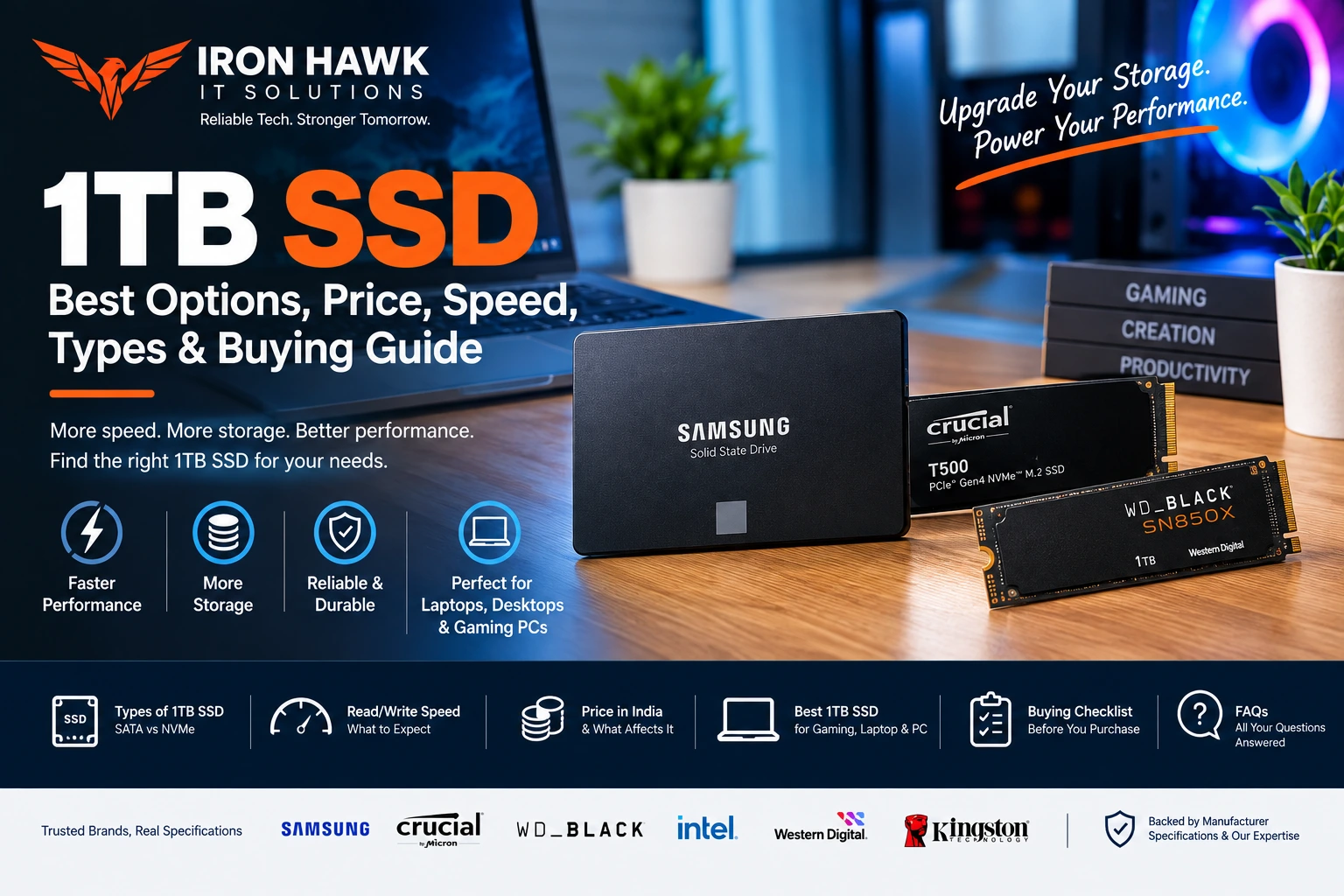
1TB SSD: Best Options, Price, Speed & Buying Guide
A 1TB SSD is one of the most practical storage upgrades for modern laptops, desktops, gaming PCs and workstations. Compared with traditional hard disk drives, SSDs provide faster data access, quicker boot times and a more responsive computing experience.
But not every 1TB SSD offers the same performance. Buyers need to consider the interface, form factor, read/write speed, NAND type, endurance, warranty and compatibility before choosing a drive.
In this guide, we explain what a 1TB SSD is, how much storage you actually get, the difference between SATA and NVMe SSDs, expected performance, price factors, popular examples and what to check before buying.
1TB SSD: Is It Worth Buying?
Yes. A 1TB SSD is a practical choice for many users because it provides a good balance between storage capacity, speed and price.
A 1TB SSD can be suitable for:
- Students
- Office professionals
- Programmers
- Content creators
- Gamers
- Small businesses
- Home users
- Laptop upgrades
- Desktop upgrades
- Workstations
A 1TB drive gives you substantially more usable space than a 256GB or 512GB SSD while avoiding the cost of moving immediately to a 2TB drive.
However, the advertised capacity is not exactly the same as the usable capacity after formatting, operating-system files and other overhead.
For example, Samsung specifies its 1TB SSD capacity as 1,000GB and notes that actual usable capacity may be lower because of formatting, operating-system requirements and other factors.
What Is a 1TB SSD?
A 1TB SSD is a solid-state storage device with a rated capacity of approximately 1,000GB.
Unlike an HDD, an SSD stores data using NAND flash memory instead of spinning magnetic platters.
This design provides several advantages:
- Faster file access
- Faster operating-system boot times
- Faster application loading
- No spinning mechanical parts
- Lower noise
- Compact form factors
- Better responsiveness for everyday computing
A 1TB SSD can be available in different formats and interfaces, including:
| SSD Type | Common Interface | Typical Use |
|---|---|---|
| 2.5-inch SATA SSD | SATA III | Older laptops and desktops |
| M.2 SATA SSD | SATA | Compatible M.2 systems |
| M.2 NVMe SSD | PCIe | Modern laptops and desktops |
| External SSD | USB | Portable storage and backups |
SATA vs NVMe 1TB SSD
One of the most important decisions is choosing between SATA and NVMe.
1TB SATA SSD
A SATA SSD commonly uses the 2.5-inch form factor or an M.2 SATA design.
It can be an excellent upgrade for an older laptop or desktop that has a SATA interface.
1TB NVMe SSD
NVMe SSDs communicate through PCIe and are generally capable of much higher sequential transfer speeds than SATA SSDs.
Modern NVMe drives are available using PCIe Gen3, Gen4 and newer interfaces.
For a new gaming PC, workstation or compatible modern laptop, an NVMe SSD is often the more attractive option.
SATA vs NVMe Comparison
| Feature | 1TB SATA SSD | 1TB NVMe SSD |
|---|---|---|
| Interface | SATA | PCIe |
| Form Factor | Usually 2.5-inch / M.2 | Usually M.2 2280 |
| Performance | Good | Very high depending on PCIe generation |
| Best For | Older systems and upgrades | Modern PCs and laptops |
| Installation | Generally simple | Requires compatible M.2 slot |
| Gaming | Good | Excellent |
| Large file workloads | Good | Better on high-performance models |
Important: An M.2 slot does not automatically mean NVMe support. Before purchasing, check whether the computer's M.2 slot supports SATA, PCIe/NVMe, or both.
1TB SSD Speed: What Should You Look For?
SSD speed is normally expressed in MB/s for sequential transfers.
For example, Samsung's 990 EVO Plus 1TB is specified at up to 7,150MB/s sequential read and 6,300MB/s sequential write. Samsung lists PCIe 4.0 x4 / PCIe 5.0 x2 and NVMe 2.0 support for this model.
A different 1TB SSD can have significantly lower or higher specifications.
Therefore, don't choose a drive simply because the product title says "1TB SSD."
Check:
- Sequential read speed
- Sequential write speed
- Random read IOPS
- Random write IOPS
- Interface
- NAND type
- Controller
- TBW rating
- Warranty
Specific Evidence & Original Data: Named 1TB SSD Examples
To make this guide more useful, we compared documented specifications from major SSD manufacturers instead of relying only on general storage recommendations.
Samsung 990 EVO Plus 1TB
Samsung's official specifications list the 990 EVO Plus 1TB with:
- 1TB capacity
- M.2 2280 form factor
- PCIe 4.0 x4 / PCIe 5.0 x2 interface
- NVMe 2.0
- Up to 7,150MB/s sequential read
- Up to 6,300MB/s sequential write
- 850K random read IOPS
- 1,350K random write IOPS
- 600TBW
- 5-year limited warranty
- Samsung V-NAND TLC
These specifications make it a useful example of a modern high-performance 1TB NVMe SSD.
Crucial T500 1TB
Crucial's documented T500 1TB specification provides another useful example.
The 1TB model is listed with:
- PCIe 4.0 NVMe interface
- Up to 7,300MB/s sequential read
- Up to 6,800MB/s sequential write
- Up to 1,150K random read IOPS
- Up to 1,440K random write IOPS
- 600TBW
- 5-year limited warranty
Crucial also offers a heatsink version of the T500 1TB.
WD_BLACK SN850X 1TB
Western Digital's WD_BLACK SN850X provides another named example aimed at gaming and performance-oriented systems.
The manufacturer's documentation lists:
- 1TB capacity option
- M.2 2280 form factor
- PCIe Gen4
- Up to 7,300MB/s sequential read for 1TB–4TB models
- Optional heatsink versions
- Gaming-oriented features
- 5-year limited warranty
Example Comparison
| 1TB SSD Example | Interface | Sequential Read | Sequential Write | TBW | Warranty |
|---|---|---|---|---|---|
| Samsung 990 EVO Plus | PCIe 4.0 x4 / 5.0 x2 | Up to 7,150MB/s | Up to 6,300MB/s | 600TBW | 5 years |
| Crucial T500 | PCIe 4.0 | Up to 7,300MB/s | Up to 6,800MB/s | 600TBW | 5 years |
| WD_BLACK SN850X | PCIe Gen4 | Up to 7,300MB/s | Model-dependent | Model-dependent | 5 years |
Note: Manufacturer-rated speeds are maximum specifications measured under defined test conditions. Actual performance can vary depending on the computer, motherboard, CPU, firmware, workload, temperature and available PCIe bandwidth.
1TB SSD for Gaming
A 1TB SSD is a popular capacity for gaming PCs because modern games can require substantial storage space.
A 1TB SSD can provide room for:
- Windows
- Games
- Applications
- Game launchers
- Documents
- Photos
- Videos
For a gaming PC, consider a PCIe NVMe SSD if your motherboard supports it.
A gaming-focused example is the WD_BLACK SN850X 1TB, which Western Digital positions as a high-performance gaming SSD.
However, SSD speed alone does not determine gaming performance.
Your:
- CPU
- GPU
- RAM
- Motherboard
- Game engine
- Graphics settings
also influence the overall gaming experience.
1TB SSD for Laptop Upgrades
A 1TB SSD can be an excellent upgrade for a laptop with limited storage.
Before buying, check:
1. Physical Form Factor
Many modern laptops use an M.2 2280 SSD, but some systems use shorter M.2 drives or 2.5-inch SATA drives.
2. Interface
Check whether the laptop supports:
- SATA
- PCIe NVMe
- PCIe Gen3
- PCIe Gen4
- Another manufacturer-specific configuration
3. Maximum Supported Capacity
Most modern systems can handle a 1TB SSD, but older hardware should be checked against the manufacturer's specifications.
4. Installation Space
Some thin laptops have limited clearance or use proprietary storage configurations.
5. Data Migration
If you're replacing the existing boot drive, plan for:
- Data backup
- Windows migration or clean installation
- Driver installation
- Partition setup
1TB SSD for Students and Office Work
For students and office users, a 1TB SSD can provide more than enough capacity for:
- Documents
- Presentations
- Programming projects
- Photos
- Applications
- Educational software
- PDFs
- Videos
If the system is primarily used for web browsing, Microsoft Office, programming and general productivity, you don't necessarily need the most expensive high-end NVMe SSD.
A reliable 1TB SSD with good endurance and warranty can be a better value.
How Much Does a 1TB SSD Cost?
The 1TB SSD price in India varies depending on the type and specifications.
The major factors affecting price include:
- SATA vs NVMe
- PCIe generation
- Sequential read/write speed
- NAND type
- DRAM or HMB architecture
- TBW rating
- Brand
- Warranty
- Heatsink
- External vs internal design
General Price Categories
| Type | Relative Price | Suitable For |
|---|---|---|
| 1TB SATA SSD | Lower to moderate | Older laptops and desktops |
| 1TB PCIe Gen3 NVMe | Moderate | General-purpose upgrades |
| 1TB PCIe Gen4 NVMe | Moderate to high | Modern PCs and gaming |
| 1TB High-End NVMe | Higher | Gaming, content creation and workstations |
| 1TB External SSD | Varies | Portable storage |
SSD prices change frequently, so buyers should check the current price, warranty and specifications before purchasing.
What Is TBW in a 1TB SSD?
TBW means Terabytes Written.
It is an endurance specification that indicates how much data can be written to an SSD over its rated life under the manufacturer's defined conditions.
For example, Samsung specifies 600TBW for its 1TB 990 EVO Plus.
Kingston explains that TBW is an important endurance metric because it indicates the amount of data that can be written over the SSD's useful rated life.
TBW should not be interpreted as a guaranteed point at which an SSD will suddenly fail. Real-world lifespan depends on workload, temperature, NAND characteristics and other factors.
TLC vs QLC: Which 1TB SSD Should You Choose?
NAND type can also affect an SSD's characteristics.
TLC
Triple-Level Cell NAND stores three bits per cell.
TLC SSDs are commonly used in performance-oriented consumer drives and can provide a good balance between performance, endurance and price.
QLC
Quad-Level Cell NAND stores four bits per cell.
QLC can allow manufacturers to offer higher capacities at competitive prices, but endurance and sustained-write characteristics vary by model.
Which Is Better?
For a primary operating-system, gaming or performance workstation drive, a good TLC SSD can be an attractive choice.
For large-capacity storage where price per GB is especially important, a QLC model can also make sense.
Always compare the specifications of the exact SSD model rather than judging it only from the NAND category.
DRAM vs DRAM-Less 1TB SSD
Another specification buyers may encounter is whether an SSD has dedicated DRAM.
Some SSDs use dedicated DRAM, while others use technologies such as Host Memory Buffer (HMB).
A DRAM-less SSD is not automatically a bad SSD.
However, buyers should compare:
- Controller
- NAND type
- HMB implementation
- Random performance
- Sustained-write performance
- TBW
- Warranty
- Intended workload
For everyday computing, a good DRAM-less SSD may be perfectly adequate.
For demanding professional workloads, sustained writes and heavy multitasking, a higher-end drive may be preferable.
PCIe Gen3 vs Gen4 vs Gen5 SSD
PCIe generation affects the available interface bandwidth.
PCIe Gen3
Suitable for:
- Older compatible laptops
- General computing
- Office systems
- Budget upgrades
PCIe Gen4
Suitable for:
- Modern laptops
- Gaming PCs
- Content creation
- Faster file transfers
- High-performance computing
PCIe Gen5
Designed for newer platforms and extremely high storage bandwidth.
However, you should not pay for Gen5 simply because the number is higher.
If your computer does not support the required PCIe generation, the drive may not operate at its maximum advertised performance.
Our First-Hand Experience: How We Evaluate a 1TB SSD
At Iron Hawk IT Solutions, our evaluation approach focuses on the complete SSD specification rather than looking only at the advertised storage capacity.
In our research, we found that two SSDs can both be advertised as "1TB SSD" while having very different interfaces, speeds, endurance ratings and intended workloads.
What We Check
When evaluating a 1TB SSD, our checklist includes:
- 1Capacity – We verify the advertised capacity and expected usable space.
- 2Interface – We check whether the drive is SATA or NVMe and which PCIe generation it supports.
- 3Form factor – We verify whether the system requires M.2 2280, 2.5-inch SATA or another format.
- 4Read/write performance – We compare manufacturer-rated sequential and random performance.
- 5Endurance – We check the published TBW rating where available.
- 6Warranty – We verify the manufacturer's warranty terms.
- 7NAND type – We check whether the model uses TLC, QLC or another NAND configuration.
- 8Thermal design – For high-performance NVMe drives, we consider cooling and heatsink requirements.
- 9Compatibility – We confirm that the SSD matches the laptop, desktop or motherboard.
- 10Intended workload – We match the SSD to office work, gaming, content creation or other requirements.
What We Found
From our evaluation method, one of the most important lessons is that capacity alone should not determine the purchase.
A 1TB SSD with excellent capacity but poor compatibility is not a good upgrade.
Likewise, buying an extremely fast PCIe SSD for an older laptop that only supports SATA does not provide the expected performance.
Our recommendation is to identify the computer's supported storage interface first and then compare SSD performance, endurance, warranty and price.
How to Choose the Best 1TB SSD
Use this checklist before purchasing.
For Everyday Use
Look for:
- 1TB capacity
- Reliable brand
- SATA or NVMe compatibility
- Good warranty
- Reasonable price
- Suitable endurance
For Gaming
Look for:
- PCIe NVMe
- PCIe Gen4 or newer if supported
- Strong sequential performance
- Good random performance
- Adequate cooling
- Good endurance
- 5-year warranty where available
For Content Creation
Prioritize:
- High sustained-write performance
- Strong endurance
- Good thermal management
- Higher TBW
- Reliable controller and NAND
- 1TB or larger capacity
For Older Laptops
Compatibility should come first.
Check whether the laptop supports:
- 2.5-inch SATA
- M.2 SATA
- M.2 NVMe
- Specific M.2 lengths
Do not purchase an NVMe SSD simply because it physically looks like an M.2 drive.
Common Mistakes When Buying a 1TB SSD
1. Choosing Only by Storage Capacity
Two 1TB SSDs can have completely different performance characteristics.
2. Ignoring Compatibility
Always check the motherboard or laptop specifications.
3. Comparing Only Sequential Speed
Random performance and sustained workloads also matter.
4. Ignoring TBW
For heavy workloads, endurance is an important specification.
5. Forgetting Cooling
High-performance NVMe SSDs can generate significant heat under sustained workloads.
6. Buying Only Based on Brand
A well-known brand does not mean every SSD in its product range has the same specifications.
Compare the exact model number.
7. Not Checking Warranty
Warranty length and TBW limits can differ between products.
1TB SSD Buying Checklist
Before purchasing, verify:
- [ ] 1TB capacity
- [ ] Correct form factor
- [ ] SATA or NVMe compatibility
- [ ] PCIe generation
- [ ] Sequential read speed
- [ ] Sequential write speed
- [ ] Random IOPS
- [ ] NAND type
- [ ] Controller
- [ ] TBW
- [ ] Warranty
- [ ] Thermal requirements
- [ ] Brand and model number
- [ ] Current price
- [ ] Seller warranty/support
1TB SSD vs 512GB SSD
| Feature | 512GB SSD | 1TB SSD |
|---|---|---|
| Capacity | Lower | Higher |
| Operating system | Suitable | Suitable |
| Applications | Good | Better |
| Gaming | Limited for large libraries | Better |
| Media storage | Moderate | Better |
| Long-term flexibility | Moderate | High |
| Upgrade value | Good | Excellent for many users |
If your budget allows, a 1TB SSD can provide substantially more room for applications, games and personal files.
Is a 1TB SSD Enough?
For most students, office professionals and general home users, 1TB is a very practical storage capacity.
For gamers and content creators, the answer depends on the size of the game library or media files.
If you regularly work with:
- 4K video
- Large project files
- Virtual machines
- Extensive game libraries
- Professional applications
you may eventually benefit from a 2TB or larger SSD.
1TB SSD and Windows 11
Microsoft lists 64GB or greater available storage as a minimum storage requirement for Windows 11-compatible systems.
A 1TB SSD therefore provides considerably more capacity than the operating system's minimum storage requirement.
However, Windows itself is only one part of your storage usage. Applications, updates, games, media files and personal documents can quickly consume available space.
Keeping adequate free space is also useful for normal system operation and file management.
Why Buy a 1TB SSD from Iron Hawk IT Solutions?
When purchasing a storage upgrade, choosing the correct SSD is just as important as choosing the capacity.
Iron Hawk IT Solutions can help buyers identify a suitable storage solution based on:
- Laptop compatibility
- Desktop compatibility
- SATA or NVMe interface
- Storage capacity
- Performance requirements
- Budget
- Upgrade requirements
Before purchasing, provide the exact laptop or desktop model so the correct SSD type can be identified.
Looking for a 1TB SSD? Check the available SSD options at Iron Hawk IT Solutions and choose a compatible storage solution for your system.
Transparency & Editorial Disclosure
This guide was prepared to provide practical information about choosing a 1TB SSD.
Our recommendations are based on:
- Manufacturer-published specifications
- Named SSD model examples
- Technical specifications from hardware manufacturers
- General SSD compatibility principles
- Our evaluation methodology
Manufacturer specifications and product availability can change over time. Advertised read/write speeds are maximum or rated values under specified test conditions and may differ from real-world performance.
Pricing also changes based on brand, model, promotions, availability and market conditions. Buyers should verify the current price, warranty and specifications before purchasing.
We do not recommend choosing an SSD solely because of its advertised sequential speed. Compatibility, endurance, warranty, workload and total system configuration should also be considered.
FAQ
Is a 1TB SSD good for a laptop?
Yes. A 1TB SSD can be an excellent laptop upgrade, provided the laptop supports the SSD's form factor and interface.
Is 1TB SSD enough for gaming?
For many gamers, 1TB is a practical starting point. However, large modern games can consume significant storage, so users with large game libraries may eventually need additional storage.
Is NVMe better than SATA SSD?
NVMe SSDs can provide much higher transfer speeds than SATA SSDs, especially on modern PCIe interfaces. However, the computer must support NVMe for those benefits.
What is the difference between 1TB SSD and 1TB HDD?
An SSD uses NAND flash memory and has no spinning mechanical platters, while an HDD uses magnetic disks. SSDs generally provide faster access and a more responsive system.
How long does a 1TB SSD last?
SSD lifespan depends on the NAND, controller, workload, temperature and endurance rating. TBW is one important manufacturer-published endurance metric.
What does 600TBW mean?
A 600TBW rating indicates that the manufacturer rates the SSD for a total of 600 terabytes written under its specified conditions. It is an endurance rating, not a guarantee that the SSD will immediately fail after reaching that number.
Should I buy a Gen4 1TB SSD?
If your laptop or motherboard supports PCIe Gen4 and your workload benefits from higher storage performance, a Gen4 SSD can be a good choice.
Is 1TB enough for Windows 11?
Yes. Microsoft lists 64GB or greater available storage as the minimum storage requirement for Windows 11. A 1TB SSD provides substantially more capacity for the OS, applications and personal files.
Can I upgrade my laptop to a 1TB SSD?
Often yes, but compatibility must be checked first. Confirm the laptop's supported SSD type, interface, form factor and maximum capacity before purchasing.
Which 1TB SSD is best?
There is no single best SSD for everyone. The right model depends on your laptop or desktop compatibility, workload, performance requirements, endurance, warranty and budget.
Conclusion
A 1TB SSD is an excellent storage option for students, professionals, gamers, content creators and general PC users.
Before buying, don't compare drives only by their capacity or advertised speed. Check the interface, form factor, PCIe generation, NAND type, random performance, TBW, cooling requirements, warranty and system compatibility.
For modern systems, a 1TB NVMe SSD can provide excellent performance, while a 1TB SATA SSD can still be a practical and cost-effective upgrade for compatible older systems.
Choose the SSD according to your actual workload and computer specifications—and verify the exact model before purchasing from Iron Hawk IT Solutions.