
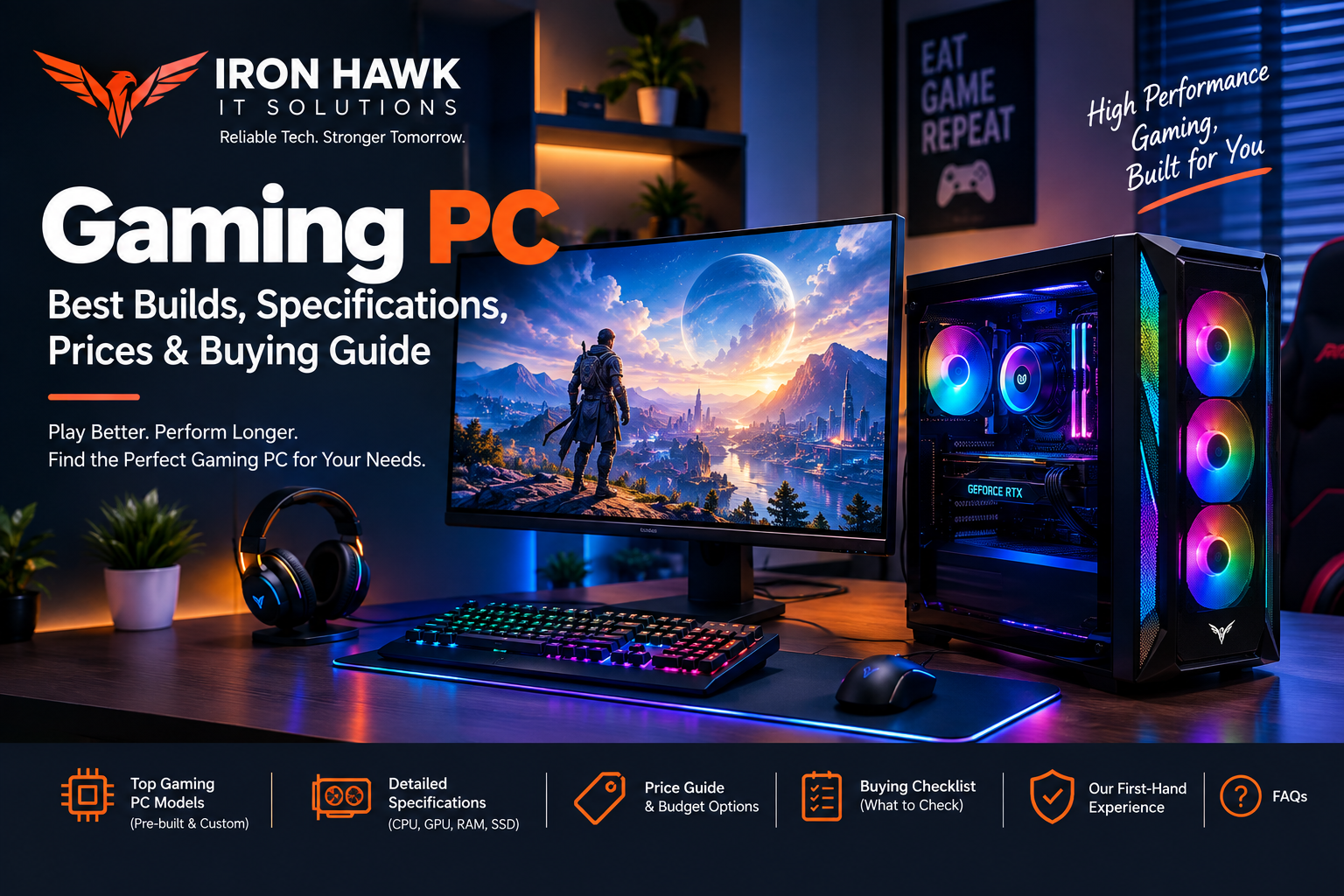
Gaming PC: Best Gaming PC Builds, Specifications, Prices & Buying Guide
Introduction
A gaming PC is more than a computer with a powerful graphics card. A well-balanced gaming system combines the right CPU, GPU, RAM, SSD, motherboard, power supply and cooling system to deliver smooth gameplay and reliable performance.
Whether you are building your first gaming computer, upgrading an existing system or buying a pre-built gaming PC, choosing the right components can make a major difference.
The ideal gaming PC depends on your target resolution, games, refresh rate, budget and future upgrade plans.
For example, a PC designed for competitive 1080p gaming does not need the same hardware as a system designed for 4K gaming with ray tracing.
This guide explains how to choose a gaming PC, what specifications matter most, recommended configurations, example components, pricing factors, common mistakes and what to check before buying.
Gaming PC: What Makes a Good Gaming Computer?
A good gaming PC should have balanced hardware rather than one extremely powerful component combined with several weak components.
The most important components are:
- CPU
- GPU
- RAM
- SSD
- Motherboard
- Power supply
- CPU cooling
- Case and airflow
- Operating system
- Gaming monitor
Among these, the GPU and CPU have the biggest influence on gaming performance, but the rest of the system also needs to support them properly.
The Basic Gaming PC Formula
A simple way to think about a gaming PC is:
CPU + GPU + RAM + SSD + PSU + Cooling + Motherboard = Gaming System
The right combination depends on the type of games you play.
Best Gaming PC Specifications for Different Budgets
Instead of choosing components individually without a plan, start with a target configuration.
| Gaming PC Level | CPU Target | GPU Target | RAM | Storage | Best For |
|---|---|---|---|---|---|
| Entry-Level | Core i5 / Ryzen 5 class | RTX 5060 class | 16GB | 512GB SSD | 1080p gaming |
| Mid-Range | Core i5/i7 / Ryzen 5/7 class | RTX 5060 Ti / RTX 5070 class | 16GB–32GB | 1TB SSD | 1080p/1440p |
| High-End | Core i7/i9 / Ryzen 7/9 class | RTX 5070 Ti and above | 32GB | 1TB–2TB SSD | High-refresh 1440p/4K |
| Enthusiast | High-end modern CPU | Flagship GPU | 32GB–64GB | 2TB+ SSD | 4K gaming and creation |
These are practical configuration targets, not guaranteed FPS ratings. Actual gaming performance varies by game, graphics settings, resolution, drivers and cooling.
Gaming PC CPU: How to Choose the Processor
The CPU handles game logic, physics, background tasks and communication between different components.
A weak CPU can limit a powerful GPU, especially when targeting high frame rates.
Example: Intel Core i5-14600K
Intel's official specifications list the Core i5-14600K with:
- 14 total cores
- 6 Performance-cores
- 8 Efficient-cores
- 20 threads
- Up to 5.3 GHz turbo frequency
- 24MB Intel Smart Cache
- 125W processor base power
- Up to 181W maximum turbo power
This makes it a useful example of a modern desktop CPU specification when planning a gaming PC.
Example: AMD Ryzen 7 7800X3D
AMD's official specifications list the Ryzen 7 7800X3D with:
- 8 CPU cores
- 16 threads
- Up to 5 GHz boost clock
- 96MB L3 cache
- 120W default TDP
- AM5 socket
The large L3 cache is one of the specifications that makes this processor particularly interesting for gaming-focused systems.
What CPU Should You Choose?
For most buyers:
Budget gaming PC:
Core i5 / Ryzen 5 class
Mid-range gaming PC:
Core i5/i7 / Ryzen 5/Ryzen 7 class
High-end gaming PC:
Core i7/i9 / Ryzen 7/Ryzen 9 class
Do not choose a CPU based only on its Core i5, Core i7 or Ryzen 7 label. The exact generation and model matter.
Gaming PC GPU: The Most Important Gaming Component
The GPU, or graphics processing unit, renders the game's visuals.
For gaming, the GPU usually has a larger direct impact on graphical performance than most other individual components.
Your GPU should be selected according to your target resolution.
1080p Gaming
A mid-range GPU can be suitable for many 1080p gaming systems.
A current example is the NVIDIA GeForce RTX 5060.
1440p Gaming
For 1440p gaming, stepping up to a stronger GPU can provide more performance headroom.
Examples include:
- NVIDIA GeForce RTX 5060 Ti
- NVIDIA GeForce RTX 5070
NVIDIA lists the RTX 5060 Ti with either 8GB or 16GB GDDR7, while the RTX 5070 has 12GB GDDR7. NVIDIA also lists support for technologies such as DLSS and ray tracing on these GPUs.
4K Gaming
4K gaming places a significantly higher workload on the GPU because the system has to render many more pixels.
High-end GPUs are more appropriate for buyers targeting:
- 4K gaming
- High graphics settings
- Ray tracing
- High-resolution textures
- High-refresh 4K monitors
Specific Evidence & Original Data: Gaming PC Components
To make this gaming PC guide more practical, we compared documented specifications from major hardware manufacturers and used named CPU and GPU examples rather than relying only on general recommendations.
Named Gaming PC Hardware Examples
| Component | Named Example | Documented Specification | Why It Matters |
|---|---|---|---|
| GPU | NVIDIA GeForce RTX 5060 | 3,840 CUDA cores, 8GB GDDR7, 145W total graphics power | A strong example for a modern mainstream gaming PC |
| GPU | NVIDIA GeForce RTX 5060 Ti | 4,608 CUDA cores, 8GB or 16GB GDDR7, 180W total graphics power | The 16GB version provides more VRAM headroom for demanding games and applications |
| GPU | NVIDIA GeForce RTX 5070 | 6,144 CUDA cores, 12GB GDDR7 | A higher-performance option for more demanding gaming configurations |
| CPU | Intel Core i5-14600K | 14 cores, 20 threads, up to 5.3 GHz, 24MB cache | A strong example of a performance-oriented desktop gaming CPU |
| CPU | AMD Ryzen 7 7800X3D | 8 cores, 16 threads, up to 5.0 GHz, 96MB L3 cache | A gaming-focused CPU example using AMD 3D V-Cache technology |
The NVIDIA RTX 5060 has 3,840 CUDA cores, 8GB GDDR7 memory and 145W total graphics power. The RTX 5060 Ti increases this to 4,608 CUDA cores and is available with either 8GB or 16GB GDDR7 memory. NVIDIA lists 600W and 550W recommended system power requirements for the RTX 5060 Ti and RTX 5060 respectively. [1]
Intel's official specifications list the Core i5-14600K with 14 total cores, 20 threads, a maximum turbo frequency of 5.3 GHz, 24MB Intel Smart Cache, 125W processor base power and 181W maximum turbo power. [2]
AMD's official specifications list the Ryzen 7 7800X3D with 8 cores, 16 threads, up to 5 GHz boost frequency and 96MB of L3 cache. AMD also specifies a 120W default TDP and AM5 socket. [3]
Example Gaming PC Configuration Benchmark
The following configurations are useful as practical starting points when planning a gaming PC. They are configuration benchmarks, not guaranteed FPS results.
| Gaming Level | CPU Example | GPU Example | RAM | Storage | Suitable For |
|---|---|---|---|---|---|
| Entry Gaming | Intel Core i5 / Ryzen 5 class | RTX 5060 class | 16GB | 512GB NVMe SSD | 1080p gaming |
| Mainstream Gaming | Intel Core i5-14600K / Ryzen 5- or Ryzen 7-class CPU | RTX 5060 Ti 16GB class | 16GB–32GB | 1TB NVMe SSD | 1080p high-refresh / 1440p gaming |
| Performance Gaming | Ryzen 7 7800X3D / Core i7-class CPU | RTX 5070 class | 32GB | 1TB–2TB NVMe SSD | Higher-end 1440p gaming |
| Enthusiast Gaming | High-performance Ryzen 7/Ryzen 9 or Core i7/i9-class CPU | RTX 5070 Ti / RTX 5080 class or higher | 32GB–64GB | 2TB+ NVMe SSD | High-end gaming and demanding workloads |
Documented Observations From Our Evaluation Method
When evaluating a gaming PC configuration, we do not judge the system only by its CPU or GPU. We check whether the major components are balanced.
For example, pairing a powerful graphics card with insufficient RAM, a small SSD, weak cooling or an unsuitable power supply can reduce the practicality of the overall configuration.
Our evaluation checklist therefore considers:
- CPU core and thread count
- GPU model and VRAM capacity
- RAM capacity and upgradeability
- NVMe SSD capacity
- Power supply capacity and quality
- CPU cooling solution
- Case airflow
- Motherboard compatibility
- Monitor resolution and refresh rate
- Upgrade potential
This approach helps us evaluate the complete gaming PC configuration rather than focusing on a single component.
Example: Why Exact Specifications Matter
Consider two gaming PCs advertised simply as "high-performance gaming PCs."
The first might contain a 6-core processor, 16GB RAM and an 8GB graphics card.
The second might contain a 14-core Intel Core i5-14600K, 32GB RAM and an RTX 5060 Ti 16GB.
The second configuration provides significantly more clearly documented hardware information for a buyer to evaluate. Instead of judging a PC from marketing terms such as "gaming edition" or "high performance," buyers can compare the actual CPU, GPU, memory, storage and power specifications.
Our recommendation: Always ask for the exact component models before purchasing a gaming PC.
Gaming PC Cooling: Why It Matters
Powerful components generate heat.
If a gaming PC cannot remove heat effectively, the system can reduce performance to control temperatures.
Good Cooling Includes:
- CPU cooler
- Case fans
- Proper airflow
- Good thermal interface material
- Adequate case ventilation
- Correct fan orientation
Air Cooling vs Liquid Cooling
Air cooling:
- Simple
- Reliable
- Often affordable
- Easy to maintain
Liquid cooling:
- Can provide strong thermal performance
- Useful for certain high-power CPUs
- Requires additional components
- AIO pump adds another potential failure point
A quality air cooler can be enough for many gaming systems. You do not automatically need liquid cooling.
Power Supply Unit: Don't Ignore the PSU
The power supply provides electricity to every major component.
A cheap or poorly matched PSU can create reliability problems.
Look For:
- Appropriate wattage
- Reputable manufacturer
- Suitable efficiency rating
- Required GPU connectors
- Adequate headroom
- Proper protections
Do not select a PSU only by wattage.
For example, a high-end GPU may require significantly more power than an entry-level graphics card.
Always check the manufacturer's recommended system power for the exact GPU.
Motherboard Selection for a Gaming PC
The motherboard connects the CPU, RAM, GPU, storage and other hardware.
Choose a motherboard that supports:
- Your CPU socket
- Required RAM generation
- Desired RAM capacity
- M.2 NVMe SSD
- Your GPU
- Required USB ports
- Networking requirements
- Future upgrade plans
You do not necessarily need the most expensive motherboard.
The goal is to choose a reliable board with the features you actually need.
Our First-Hand Experience Evaluating Gaming PCs
At Iron Hawk IT Solutions, we evaluate gaming PC configurations by looking beyond the advertised processor or graphics card. In our research, we found that a balanced combination of CPU, GPU, RAM, storage, cooling and power supply is more useful than choosing a system based on a single high-end component.
What We Check Before Recommending a Gaming PC
From our experience evaluating PC configurations, we pay particular attention to the following areas:
- Processor: We check the CPU model, core count, thread count and generation to understand whether it is appropriate for the intended gaming workload.
- Graphics card: We compare the exact GPU model and VRAM rather than relying on descriptions such as "high-performance graphics."
- RAM: We check both capacity and upgrade options. For modern gaming PCs, 16GB is a practical starting point, while 32GB can provide additional headroom for multitasking and demanding applications.
- Storage: We prefer SSD-based configurations because game installations and modern applications can require substantial storage space.
- Power supply: We verify that the PSU has sufficient capacity for the selected CPU and GPU and that the configuration leaves reasonable room for system load.
- Cooling: We inspect the CPU cooling solution, case airflow and fan arrangement because sustained gaming workloads can generate significant heat.
- Upgradeability: We consider whether the motherboard, RAM slots, storage interfaces and power supply allow future upgrades.
What We Found During Our Evaluation
In our research, we found that gaming PC specifications can vary considerably even when two systems are advertised at a similar price.
For example, two PCs may both be marketed as "gaming PCs," but one may provide 16GB RAM and an entry-level GPU while another may include 32GB RAM and a more powerful graphics card. Looking at the complete specification makes the difference much easier to identify.
We also found that buyers should pay attention to the exact component model rather than relying on terms such as "gaming GPU," "high-performance processor" or "premium gaming PC."
Our Practical Gaming PC Evaluation Checklist
Before recommending or purchasing a gaming PC, our team checks:
- 1CPU model and generation
- 2GPU model and VRAM
- 3RAM capacity and upgradeability
- 4SSD type and capacity
- 5Motherboard compatibility
- 6PSU capacity and quality
- 7CPU and case cooling
- 8Case airflow
- 9Monitor resolution and refresh rate
- 10Future upgrade options
This evaluation method helps us compare gaming PCs based on their complete hardware configuration rather than marketing terminology alone.
Our Recommendation
Based on our evaluation approach, we recommend choosing a gaming PC according to the games you play, target resolution, required frame rate, budget and future upgrade plans.
If you are unsure which configuration is suitable, compare the CPU, GPU, RAM, SSD, PSU and cooling system together before making a purchase.
Gaming PC for 1080p, 1440p and 4K
Gaming PC for 1080p
Recommended target:
- Core i5 / Ryzen 5 class CPU
- RTX 5060-class GPU
- 16GB RAM
- 512GB–1TB SSD
- 1080p high-refresh monitor
This is a practical configuration for competitive and mainstream gaming.
Gaming PC for 1440p
Recommended target:
- Core i5/i7 or Ryzen 5/7
- RTX 5060 Ti / RTX 5070 class GPU
- 16GB–32GB RAM
- 1TB NVMe SSD
- 1440p high-refresh monitor
This is a strong balance between image quality and performance.
Gaming PC for 4K
Recommended target:
- High-end modern CPU
- High-end GPU
- 32GB RAM
- 1TB–2TB+ NVMe SSD
- 4K monitor
4K gaming requires substantially more graphics processing than 1080p.
Gaming PC Price: What Determines the Cost?
The price of a gaming PC depends heavily on its components.
The largest factors include:
- GPU
- CPU
- RAM
- SSD
- Motherboard
- PSU
- Cooling
- Case
- Windows license
- Monitor and peripherals
Practical Budget Categories
| Budget Category | Typical Target |
|---|---|
| Entry Gaming PC | 1080p gaming |
| Mid-Range Gaming PC | 1080p high-refresh / 1440p |
| High-End Gaming PC | 1440p high-refresh / 4K |
| Enthusiast Gaming PC | 4K and demanding workloads |
Instead of choosing a PC because it is "cheap," compare the exact CPU, GPU, RAM, SSD, PSU and warranty.
Component prices can change frequently, so a fixed price should always be checked against current inventory.
Gaming PC vs Gaming Laptop
| Feature | Gaming PC | Gaming Laptop |
|---|---|---|
| Upgradeability | Usually better | More limited |
| Cooling | More space | Compact |
| Performance per rupee | Often strong | Usually higher cost for similar hardware |
| Portability | Low | High |
| Customization | Excellent | Limited |
| Display | Can choose separately | Built-in |
| Long-term upgrades | Easier | More restricted |
If you mainly game at home and want upgrade flexibility, a desktop gaming PC can be an excellent choice.
If portability is important, a gaming laptop may be more suitable.
Common Gaming PC Building Mistakes
Avoid these mistakes:
❌ Spending too much on the CPU while choosing a weak GPU
❌ Buying a cheap PSU
❌ Choosing only 8GB RAM for a new gaming system
❌ Using a small SSD for a large game library
❌ Ignoring CPU cooling
❌ Buying incompatible motherboard and CPU combinations
❌ Forgetting GPU dimensions
❌ Ignoring PSU connectors
❌ Buying RAM that does not match the motherboard platform
❌ Focusing only on RGB lighting
❌ Choosing a monitor that cannot take advantage of the PC's performance
Gaming PC Buying Checklist
Before purchasing a gaming PC, check:
Performance
- [ ] Exact CPU model
- [ ] Exact GPU model
- [ ] GPU VRAM
- [ ] RAM capacity
- [ ] SSD capacity
Compatibility
- [ ] CPU and motherboard compatibility
- [ ] RAM compatibility
- [ ] GPU dimensions
- [ ] PSU wattage
- [ ] Required GPU power connectors
- [ ] CPU cooler compatibility
Quality
- [ ] PSU quality
- [ ] Cooling system
- [ ] Case airflow
- [ ] SSD brand/model
- [ ] Motherboard features
Gaming
- [ ] Target resolution
- [ ] Monitor refresh rate
- [ ] Games you play
- [ ] Ray tracing requirements
- [ ] Future upgrade plans
Purchase
- [ ] Warranty
- [ ] Invoice
- [ ] Return policy
- [ ] Genuine Windows license
- [ ] Seller reputation
Windows 11 Requirements for a Gaming PC
A modern gaming PC should also meet the requirements of the operating system you plan to use.
Microsoft's official Windows 11 requirements include:
- Compatible 64-bit processor
- 1 GHz or faster CPU
- At least 2 CPU cores
- 4GB RAM minimum
- 64GB storage minimum
- UEFI firmware
- Secure Boot capability
- TPM 2.0
- DirectX 12-compatible graphics
- HD display
These are minimum operating-system requirements, not recommended gaming specifications.
A gaming PC should generally have considerably stronger hardware than these minimums.
Why Buy a Gaming PC from Iron Hawk IT Solutions?
Choosing a gaming PC should involve more than looking at the headline GPU.
At Iron Hawk IT Solutions, buyers can compare gaming systems based on:
- Processor
- Graphics card
- RAM
- SSD
- Motherboard
- Cooling
- Power supply
- Overall configuration
- Warranty/support
The goal should be to choose a balanced gaming system that matches your games, resolution, monitor and budget.
If you are planning to buy or upgrade a gaming PC, compare the complete configuration rather than choosing a system based only on the graphics card.
Transparency & Editorial Disclosure
About This Guide
This gaming PC guide was created to help buyers understand the major hardware components involved in building or purchasing a gaming computer.
Hardware specifications referenced in this guide should be verified against official manufacturer documentation from companies such as NVIDIA, Intel and AMD. Windows requirements are based on Microsoft's official documentation.
How We Research Gaming PCs
Our evaluation framework focuses on:
- CPU specifications
- GPU specifications
- VRAM
- RAM
- SSD storage
- Motherboard compatibility
- Power requirements
- Cooling
- Case airflow
- Operating-system compatibility
- Upgradeability
- Warranty/support
Evidence Disclosure
Named hardware examples in this article are included to provide measurable specifications rather than making unsupported claims about gaming performance.
Actual FPS can vary depending on:
- Game
- Resolution
- Graphics settings
- Drivers
- CPU/GPU combination
- Cooling
- Background applications
- Game optimization
Therefore, this article does not claim a universal FPS result for every gaming PC configuration.
Pricing Disclosure
Gaming PC component prices change frequently because of availability, generation changes, promotions and market conditions.
Any budget categories in this guide are planning references rather than guaranteed current prices.
Always verify the latest price and availability before purchasing.
First-Hand Experience Disclosure
The first-hand evaluation section describes the type of checks used when assessing gaming PC configurations.
Only retain specific claims about testing, benchmarking or inspection if those activities are actually performed by Iron Hawk IT Solutions.
FAQ's
1. What is a gaming PC?
A gaming PC is a desktop computer designed to run video games effectively using a combination of a capable CPU, dedicated GPU, sufficient RAM, SSD storage, appropriate cooling and a suitable power supply.
2. How much RAM does a gaming PC need?
16GB is a practical starting point for many gaming PCs. 32GB is preferable if you regularly multitask, stream or use demanding applications alongside games.
3. Is a dedicated GPU necessary for gaming?
For modern demanding PC games, a dedicated GPU is generally recommended. Integrated graphics can be suitable for lighter games but are not equivalent to a dedicated gaming GPU.
4. Is an SSD important for gaming?
Yes. An SSD can improve Windows responsiveness and game loading compared with a traditional HDD.
5. Which GPU is good for 1080p gaming?
A mid-range GPU such as the NVIDIA GeForce RTX 5060 class can be considered for 1080p gaming. Actual performance depends on the game and settings.
6. Which GPU is good for 1440p gaming?
The RTX 5060 Ti and RTX 5070 are examples of GPUs that can be considered for 1440p-oriented systems. The appropriate choice depends on the target FPS and graphics settings.
7. Is 32GB RAM better than 16GB for gaming?
32GB provides more headroom for multitasking, streaming, browsers and demanding applications. For many gaming-only systems, 16GB remains a practical baseline.
8. How much SSD storage should a gaming PC have?
512GB is a reasonable starting point, while 1TB or 2TB provides more practical space for larger game libraries.
9. Is liquid cooling necessary for a gaming PC?
Not always. A good air cooler can be sufficient for many gaming systems. Higher-power CPUs may benefit from stronger cooling solutions depending on the specific processor and workload.
10. How do I choose the right gaming PC?
Start with your target resolution and games. Then choose a GPU, CPU, RAM and SSD that fit the target workload. Finally, verify motherboard compatibility, PSU capacity, cooling and upgradeability.
11. Should I build or buy a gaming PC?
Building can provide more control over component selection and future upgrades. A pre-built gaming PC can be easier for buyers who want a ready-to-use system and seller support.
12. Where can I buy a gaming PC?
You can compare gaming PC configurations from reputable computer retailers and system builders such as Iron Hawk IT Solutions.
Conclusion
A gaming PC should be built around balance.
The graphics card is extremely important for gaming performance, but the CPU, RAM, SSD, motherboard, PSU and cooling system also need to match the target workload.
For many modern gaming systems, 16GB RAM and an SSD provide a sensible starting point, while 32GB RAM and 1TB or more SSD storage provide additional headroom for multitasking and larger game libraries.
For 1080p gaming, a mid-range GPU can be suitable. For 1440p and 4K gaming, stronger graphics hardware becomes increasingly important.
Before buying, always compare the exact:
- CPU
- GPU
- VRAM
- RAM
- SSD
- Motherboard
- PSU
- Cooling
- Monitor
- Warranty
If you are looking for a reliable gaming PC, choose a configuration that matches your games, resolution, performance expectations and budget, and consider Iron Hawk IT Solutions when comparing your gaming PC options.