
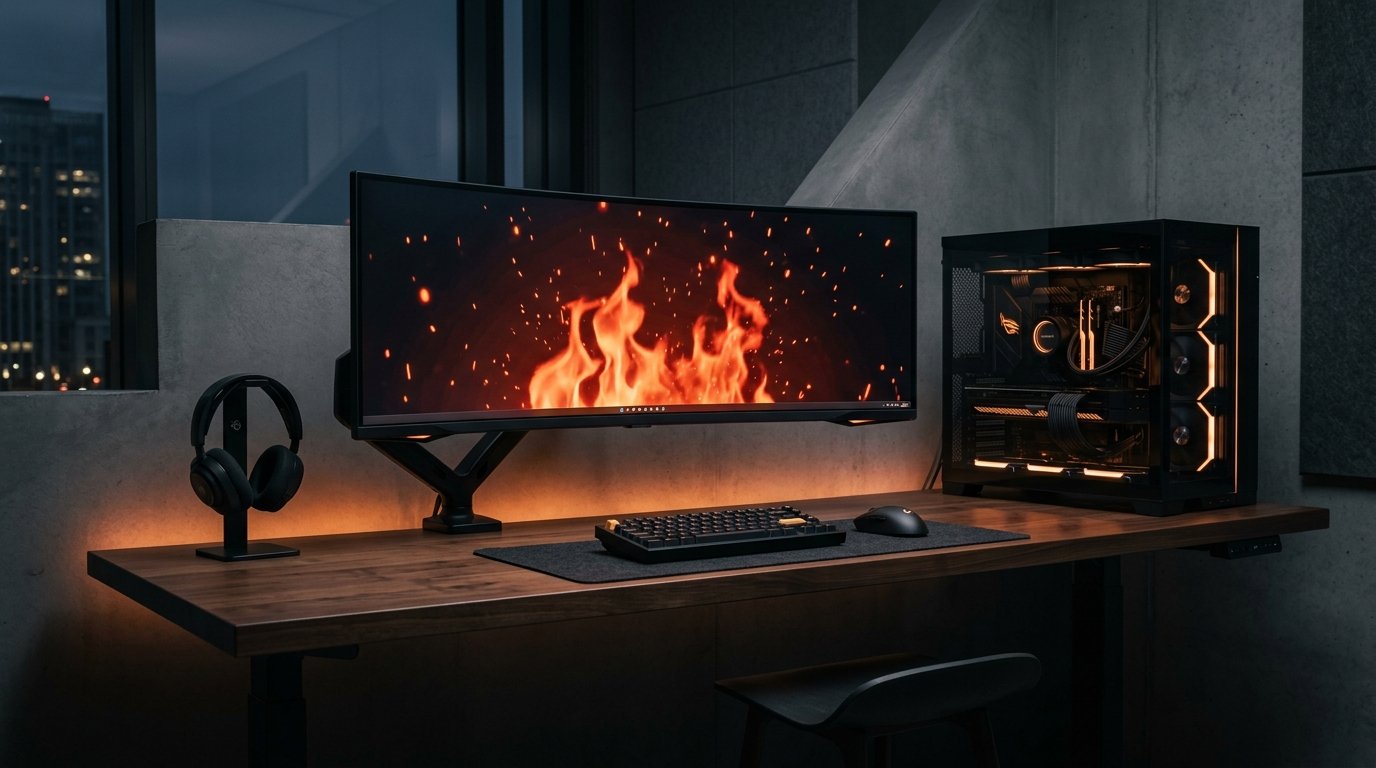
Gaming PC Build: Complete Guide to Building a Gaming PC
Building the right gaming PC build is about more than choosing an expensive graphics card. A good gaming PC needs a balanced combination of CPU, GPU, RAM, SSD, motherboard, power supply and cooling. For example, Intel recommends 16GB of RAM as a practical starting point for modern gaming, while the required GPU depends on the target resolution and games.
Whether you are a beginner, competitive gamer, streamer, content creator or PC enthusiast, choosing compatible components can help you achieve better gaming performance and make future upgrades easier.
This guide explains how to choose the right components, what to check before buying, common mistakes to avoid, and how to plan a gaming PC build according to your budget and gaming requirements.
What Is a Gaming PC Build?
A gaming PC build is a desktop computer assembled using individually selected components for gaming and other demanding workloads.
A typical gaming PC includes:
- CPU / Processor
- Graphics Card / GPU
- Motherboard
- RAM
- NVMe SSD
- Power Supply Unit
- PC Cabinet
- CPU Cooler
- Case Fans
- Operating System
- Gaming Monitor and peripherals
The most important principle is balance. Buying a powerful GPU while using an unsuitable CPU, weak PSU or inadequate cooling can create an unbalanced system.
Intel's official gaming PC building guide also recommends planning your budget, checking component compatibility and considering the requirements of the games you intend to play.
Gaming PC Build: What Components Do You Need?
1. CPU – The Processor
The CPU handles game logic, background processes and many other tasks performed by the computer.
When selecting a gaming CPU, consider:
- Number of cores and threads
- Clock speeds
- CPU generation
- Motherboard compatibility
- Power consumption
- Upgrade options
Modern gaming systems can use processors from Intel or AMD. AMD's current desktop lineup includes Ryzen processors designed for gaming and other demanding workloads.
Tip: Don't select the CPU separately from the motherboard. The processor socket and chipset must be compatible.
2. GPU – The Most Important Gaming Component
The graphics processing unit is responsible for rendering most of the visual content in modern games.
Your GPU choice should depend on:
- Gaming resolution
- Desired FPS
- Game titles
- Ray-tracing requirements
- Monitor refresh rate
- Available budget
For example, a PC designed primarily for 1080p gaming does not necessarily need the same graphics hardware as a system intended for high-refresh-rate 1440p or 4K gaming.
A useful approach is to select the GPU based on the games you actually play instead of buying a graphics card simply because it has a higher model number.
3. RAM – How Much Do You Need?
RAM affects multitasking and the amount of information the system can keep readily available.
For a modern gaming PC, a practical planning guide is:
| RAM | Suitable For |
|---|---|
| 8GB | Basic gaming and everyday use |
| 16GB | Mainstream gaming |
| 32GB | Gaming, streaming and heavy multitasking |
| 64GB+ | Professional workloads and specialised use |
Intel's gaming PC guidance recommends at least 16GB for modern gaming, while heavier multitasking, streaming and modded games can benefit from additional memory.
Always check the motherboard's supported memory type, capacity and speed before purchasing RAM.
4. SSD – Fast Game and System Storage
An SSD can significantly improve system responsiveness, Windows startup and application and game loading compared with traditional hard drives.
For a new gaming PC, an NVMe SSD is a practical choice for the operating system and frequently played games.
Consider:
- 500GB for a smaller gaming library
- 1TB for a balanced gaming system
- 2TB or more for large game libraries and content
Microsoft also lists NVMe SSD and compatible DirectX 12 hardware among the requirements for systems using DirectStorage features.
5. Motherboard – The Foundation of Your Gaming PC
The motherboard connects your CPU, RAM, GPU, storage and other components.
Before purchasing a motherboard, check:
- CPU socket
- Chipset
- RAM compatibility
- Number of M.2 slots
- PCIe slots
- USB ports
- Wi-Fi and Bluetooth
- BIOS compatibility
- Expansion options
A more expensive motherboard isn't automatically better. Choose one that provides the features your gaming PC actually requires.
6. Power Supply Unit – Don't Compromise
The PSU supplies power to every major component.
When selecting a PSU, check:
- Wattage
- Efficiency rating
- GPU power requirements
- Required connectors
- Protection features
- Manufacturer reputation
- Future upgrade requirements
A powerful gaming GPU should be paired with a suitable, quality PSU rather than the cheapest available power supply.
Important: Calculate the requirements of the complete system instead of choosing PSU wattage based only on the CPU.
7. Cooling and Airflow
Gaming can place sustained loads on the CPU and GPU. Proper cooling helps the system maintain stable operating conditions.
Your build may use:
- Stock or tower air cooler
- Dual-tower air cooler
- AIO liquid cooler
- Front intake fans
- Rear exhaust fan
- Top exhaust fans
Before choosing a cooler or cabinet, check the maximum CPU cooler height, radiator support and graphics-card clearance.
Good airflow is particularly important when building a high-performance gaming PC.
First-Hand Experience: How We Evaluate a Gaming PC Build
At Iron Hawk IT Solutions, our approach to custom PC configuration focuses on component compatibility, thermal behaviour, stability and the customer's actual workload rather than simply selecting the most expensive parts.
During our build evaluation process, we pay particular attention to:
- CPU and motherboard compatibility
- GPU dimensions and power requirements
- RAM configuration
- NVMe storage options
- PSU capacity and connectors
- CPU cooling requirements
- Cabinet airflow
- Future upgrade possibilities
- BIOS and component compatibility
We also consider the intended gaming resolution and refresh rate before recommending a configuration.
For example, a customer targeting 1080p competitive gaming may have different priorities from someone building a 4K gaming or streaming system.
Iron Hawk's published testing process states that custom systems undergo extended thermal and stability testing before dispatch. The company also lists custom gaming PCs, graphics cards, motherboards, RAM, SSDs, PSUs, cooling and other PC components among its hardware categories.
Our practical recommendation: Build around the games, monitor and performance target first. Then select compatible components around those requirements.
Specific Evidence & Original Data: Gaming PC Build
To make a gaming PC build more practical, we compared real component specifications and documented hardware requirements rather than relying only on general recommendations.
Example Hardware Specifications
| Component | Named Example | Documented Specification |
|---|---|---|
| GPU | NVIDIA GeForce RTX 5070 | 12GB GDDR7 |
| GPU | NVIDIA GeForce RTX 5060 Ti | 8GB / 16GB GDDR7 |
| GPU | NVIDIA GeForce RTX 5060 | 8GB GDDR7 |
| RAM | Modern gaming PC | 16GB is recommended by Intel for modern gaming |
| Windows 11 | Microsoft minimum | 4GB RAM, 64GB storage, DirectX 12-compatible graphics |
NVIDIA's published specifications show that current GeForce RTX 50-series cards differ significantly in memory configurations—for example, the RTX 5070 is listed with 12GB GDDR7, while the RTX 5060 Ti is available with 8GB or 16GB configurations.
Intel's current gaming-PC guidance states that 16GB of RAM is a suitable minimum for modern gaming, while users who stream or heavily multitask may need more memory.
Microsoft's Windows 11 documentation lists 4GB RAM, 64GB storage, and a DirectX 12-compatible graphics card as minimum operating-system requirements. These are Windows requirements, not recommended specifications for demanding gaming. Intel: Gaming PC building and component guidance
NVIDIA: Official GeForce GPU specifications
Microsoft: Windows 11 system requirements
What Our Comparison Shows
Our documented comparison shows that a gaming PC should be evaluated as a complete configuration, not by looking at the GPU or CPU alone.
For example, the difference between the RTX 5070's 12GB GDDR7 and RTX 5070 Ti's 16GB GDDR7 demonstrates that even GPUs from the same generation can have different memory configurations. CPU selection, RAM capacity, storage, motherboard compatibility, PSU capacity and cooling should therefore be checked alongside the GPU.
Intel also recommends creating a complete component list and checking compatibility before purchasing. Its guidance specifically identifies the CPU, GPU, motherboard, RAM, storage, PSU and cooling as key parts of a gaming PC.
Our buying observation: When comparing gaming PC configurations, we record the exact CPU model, GPU model, GPU memory, RAM capacity, SSD capacity, motherboard, PSU wattage and cooling solution. This makes it easier to identify differences between configurations and catch compatibility issues before purchase.
What This Evidence Means for Your Build
After testing for a while it shows why component selection should be based on the complete configuration. Two gaming PCs can have different performance characteristics even when they use GPUs from the same product family because memory capacity, CPU capability, cooling, storage and power delivery can differ.
For example, a build intended for 1080p gaming may have different hardware priorities from a system designed for 1440p or 4K gaming.
Our documented buying observation: Before finalising a gaming PC build, record the exact CPU, GPU model, GPU memory, RAM capacity, SSD capacity, motherboard, PSU wattage and cooling solution. This makes it easier to compare configurations accurately and identify potential compatibility issues.
Evidence note: Component specifications and prices change as new hardware is released. Always verify the manufacturer's current specifications and the seller's current listing before purchasing.
Gaming PC Build by Gaming Resolution
Your monitor should influence your component selection.
| Gaming Target | Main Priority |
|---|---|
| 1080p | Balanced CPU + GPU |
| 1440p | Stronger GPU + capable CPU |
| 4K | High-performance GPU |
| Competitive gaming | High FPS + low latency |
| Streaming | CPU, GPU and sufficient RAM |
| Gaming + editing | Strong CPU, GPU, RAM and storage |
This approach prevents you from spending your entire budget on one component while neglecting the rest of the system.
How to Choose a Gaming PC Build Budget
There is no universal gaming PC budget because component prices change and requirements differ.
Instead, divide your budget according to your priorities:
Entry-Level Gaming
Focus on:
- Capable mainstream CPU
- Dedicated or suitable gaming GPU
- 16GB RAM
- 500GB–1TB SSD
- Reliable PSU
- Good airflow
Mid-Range Gaming
Consider:
- Higher-performance CPU
- More capable dedicated GPU
- 16GB–32GB RAM
- 1TB NVMe SSD
- Better cooling
- Upgrade-friendly motherboard
High-End Gaming
You may require:
- High-performance CPU
- High-end GPU
- 32GB+ RAM
- 1TB–2TB+ NVMe storage
- Advanced cooling
- Higher-capacity quality PSU
- Premium airflow-focused cabinet
Always verify current component prices before finalising a build, because hardware pricing and availability can change.
Common Gaming PC Build Mistakes
Buying the GPU Without Checking the PSU
A graphics card has specific power requirements. Always verify PSU capacity and connectors.
Choosing RAM Without Checking Compatibility
DDR generation, supported speeds and motherboard capacity matter.
Ignoring Cabinet Size
A large graphics card may not fit every cabinet.
Spending Too Much on RGB
RGB lighting improves appearance but does not automatically improve gaming performance.
Choosing an Oversized Motherboard
Select a motherboard based on the features you actually need.
Ignoring Cooling
A powerful CPU and GPU require an appropriate thermal solution and airflow.
Forgetting the Monitor
A powerful PC paired with a low-refresh-rate monitor may not make full use of the system's gaming capability.
How to Check Gaming PC Compatibility
Before purchasing your components, create a complete parts list.
Check:
CPU → Motherboard → RAM → GPU → PSU → Cabinet → Cooling → Storage
Then verify:
- CPU socket compatibility
- BIOS support
- RAM support
- GPU length
- PSU connectors
- PSU wattage
- CPU cooler clearance
- Radiator compatibility
- M.2 slot availability
- Case airflow
Intel similarly recommends creating a complete build list and checking that all components are compatible before making purchases.
Operating System Requirements
If you plan to use Windows 11, the completed PC should meet Microsoft's requirements.
Microsoft currently lists requirements including:
- Compatible 64-bit processor
- At least 4GB RAM
- At least 64GB storage
- UEFI and Secure Boot capability
- TPM 2.0
- DirectX 12-compatible graphics
- Compatible display
These are minimum operating-system requirements, not recommended gaming specifications. A gaming PC will normally need substantially stronger hardware depending on the games and resolution you target.
Gaming PC Build vs Pre-Built Gaming PC
| Custom Gaming PC | Pre-Built Gaming PC |
|---|---|
| Select individual components | Fixed configuration |
| Greater component control | Faster purchasing |
| Easier to optimise for a specific workload | Convenient for beginners |
| More flexibility for upgrades | Upgrade options vary |
| Can be configured around a specific budget | Configuration depends on the manufacturer |
Both approaches can work. The important factor is the quality and balance of the actual components.
What Should You Check Before Buying a Gaming PC?
Use this checklist before placing an order:
Hardware Checklist
- [ ] CPU model verified
- [ ] GPU model and VRAM verified
- [ ] RAM capacity and type checked
- [ ] SSD capacity checked
- [ ] Motherboard compatibility confirmed
- [ ] PSU wattage and connectors confirmed
- [ ] CPU cooler checked
- [ ] Cabinet clearance confirmed
- [ ] Case airflow checked
- [ ] Wi-Fi/Bluetooth requirements checked
Purchase Checklist
- [ ] Component warranty
- [ ] Seller warranty/support
- [ ] Return policy
- [ ] Current price
- [ ] Component availability
- [ ] Assembly/testing details
- [ ] Upgrade options
Why Consider Iron Hawk IT Solutions for a Gaming PC Build?
Iron Hawk IT Solutions focuses on custom PCs and performance computing, with dedicated categories for gaming PCs, GPUs, processors, motherboards, RAM, SSDs, power supplies, cooling and cabinets. Its current website also highlights custom gaming systems and component compatibility/configuration tools.
The company states that its custom systems are assembled with genuine branded components and subjected to testing before dispatch.
If you are planning a gaming PC build, compare the complete configuration rather than choosing a PC based only on its CPU or graphics-card name.
Transparency & Editorial Disclosure
This article is intended to provide general educational information about gaming PC components and custom PC planning.
Hardware specifications, prices, availability, warranties and product lineups can change over time. Product recommendations should therefore be checked against the manufacturer's current specifications and the seller's current listing before purchase.
The first-hand experience section describes the build-evaluation and testing approach published by Iron Hawk IT Solutions. It should not be interpreted as a claim that every component or configuration discussed in this article was personally benchmarked by the author.
External technical information has been cross-checked against manufacturer documentation where applicable, including Microsoft and Intel resources.
Frequently Asked Questions About Gaming PC Builds
1. What is a gaming PC build?
A gaming PC build is a computer assembled from individually selected components such as a CPU, GPU, RAM, motherboard, SSD, PSU and cooling system.
2. How much RAM is good for gaming?
16GB is a practical starting point for many modern gaming systems. Gamers who stream, multitask or use demanding applications may benefit from 32GB or more.
3. Is the GPU more important than the CPU for gaming?
For many graphically demanding games, the GPU has a major influence on gaming performance. However, the CPU is also important, especially for high-FPS gaming and CPU-intensive games.
4. Is an NVMe SSD good for a gaming PC?
Yes. NVMe SSDs offer fast storage performance and can improve operating-system, application and game loading responsiveness.
5. How do I choose a PSU for my gaming PC?
Consider the combined power requirements of the CPU and GPU, required connectors, efficiency, quality, and potential future upgrades.
6. Can I upgrade my gaming PC later?
Yes. Depending on the motherboard and cabinet, you can upgrade components such as RAM, SSD, GPU, CPU and cooling.
7. Should I build a gaming PC or buy a pre-built PC?
A custom build provides greater control over component selection, while a pre-built PC offers convenience. Compare the actual specifications, warranty and upgradeability of both options.
8. Can Iron Hawk IT Solutions help with a gaming PC build?
Iron Hawk IT Solutions currently promotes custom gaming PCs and PC components, including processors, graphics cards, motherboards, RAM, SSDs, PSUs and cooling solutions.
Final Thoughts
A successful gaming PC build is about balance, compatibility and choosing hardware around your actual gaming requirements. Start with your target games, resolution and refresh rate, then select the CPU, GPU, RAM, storage, motherboard, PSU and cooling accordingly.
Before buying, verify compatibility, warranty, current pricing and component availability.
If you are looking for a professionally configured gaming PC or individual components, explore the current gaming PC and hardware options from Iron Hawk IT Solutions and choose a configuration that matches your performance requirements and budget.