
HP Laptop Display Price in India: Complete Guide to Screen Replacement Cost
If your HP laptop screen is cracked, flickering, showing lines, or has stopped displaying properly, replacing the display can often be a better option than buying a new laptop. But one of the first questions users ask is: “What is the HP laptop display price?”
The HP laptop display price depends on several factors, including the laptop model, screen size, resolution, panel type, refresh rate, touchscreen support, and whether you choose an original or compatible replacement.
In this guide, we explain the expected HP laptop display price in India, the factors that affect the cost, and what you should check before purchasing a replacement.
HP Laptop Display Price in India
There is no single fixed price for every HP laptop display. Different HP series use different screen specifications.
As a general market guide, a replacement HP laptop display may fall into these approximate ranges:
| HP Laptop Display Type | Approximate Price Range |
|---|---|
| Basic HD Display | ₹2,500 – ₹4,000 |
| Full HD Display | ₹3,000 – ₹6,000 |
| IPS Full HD Display | ₹4,000 – ₹7,000 |
| High-Refresh-Rate Gaming Display | ₹5,000 – ₹12,000+ |
| Touchscreen Display | ₹5,000 – ₹15,000+ |
| Premium/OLED Display | ₹8,000 – ₹20,000+ |
Important: These are indicative ranges, not fixed prices. The actual HP laptop display price depends on the exact model and compatible panel.
What Determines the HP Laptop Display Price?
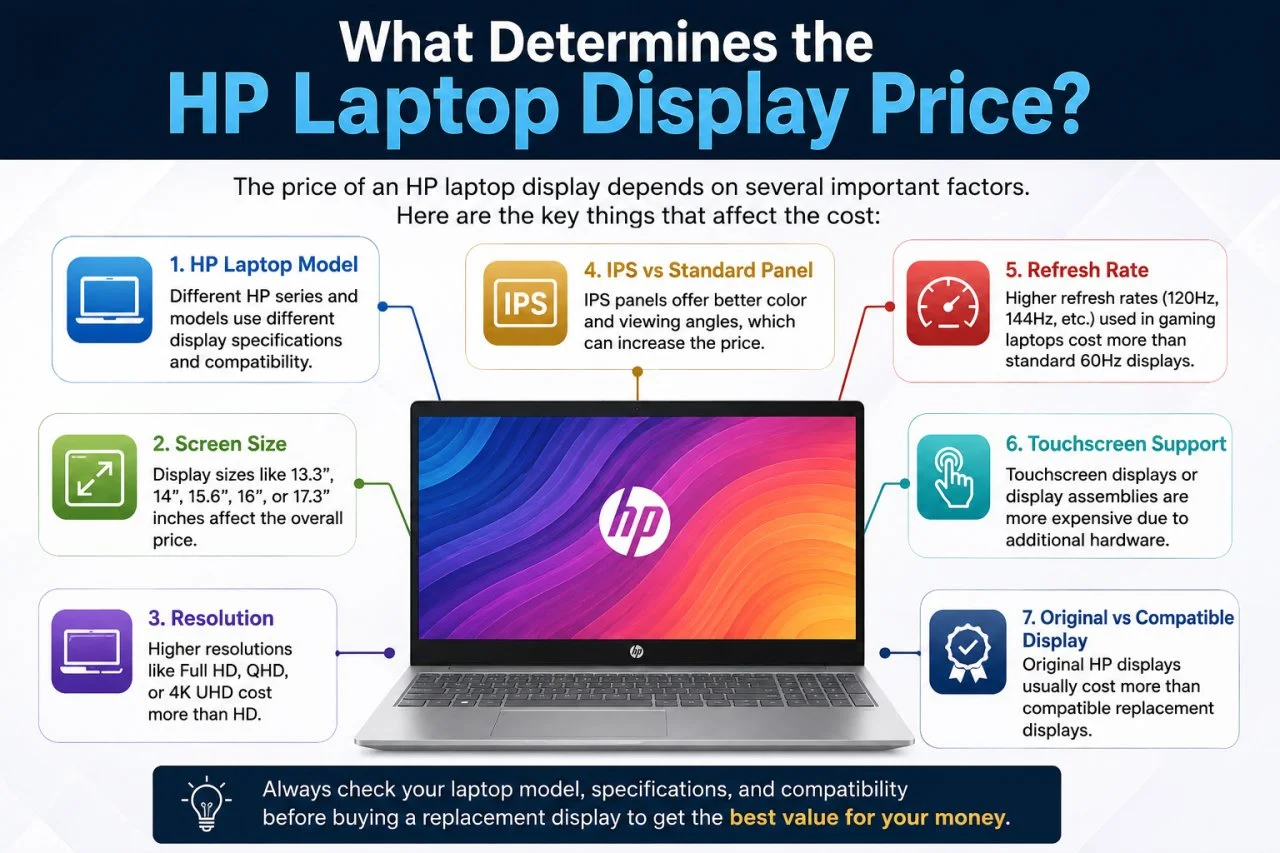
Several factors can change the price of an HP laptop screen.
1. HP Laptop Model
The exact laptop model is one of the most important factors.
For example, an HP 15 series laptop may use a different display from an HP Pavilion, ProBook, EliteBook, Victus, or Omen. Even displays with the same physical size may not be interchangeable.
Before buying a replacement, check the exact HP model number.
2. Screen Size
Common HP laptop display sizes include:
- 13.3 inches
- 14 inches
- 15.6 inches
- 16 inches
- 17.3 inches
A 15.6-inch display, for example, may have completely different specifications depending on the laptop model.
3. Resolution
Resolution also affects the HP laptop display price.
Common resolutions include:
- HD – 1366 × 768
- Full HD – 1920 × 1080
- QHD
- UHD/4K
A higher-resolution panel generally costs more than a basic HD panel.
4. IPS vs Standard Panel
IPS displays generally provide better viewing angles and color reproduction than basic TN panels.
If your original laptop uses an IPS panel, make sure the replacement matches the required specifications.
5. Refresh Rate
Gaming laptops such as HP Victus and HP Omen models may use displays with higher refresh rates such as 120Hz, 144Hz, or higher.
These displays can cost considerably more than standard 60Hz panels.
6. Touchscreen Support
Touchscreen laptops require compatible touch displays or display assemblies. Because of the additional hardware, touchscreen replacements can be more expensive.
7. Original vs Compatible Display
You may find both original-equivalent and compatible replacement displays in the market.
A cheaper display is not necessarily the best choice. Check:
- Resolution
- Connector type
- Refresh rate
- Brightness
- Panel technology
- Mounting points
- Compatibility with your HP model
HP Laptop Display Price by Popular Series
The following gives a general idea of the factors you may encounter across different HP laptop families.
HP 14 Series Display
HP 14 laptops commonly use compact 14-inch displays. Depending on the model, you may find HD or Full HD panels.
The replacement cost depends heavily on the generation and exact panel specification.
HP 15 Series Display
HP 15 and HP 15s laptops commonly use 15.6-inch displays. Full HD displays are particularly common on newer models.
Before ordering a replacement, confirm the exact model number and screen specifications.
HP Pavilion Display
HP Pavilion laptops are available with different display configurations, including Full HD and touchscreen options.
Therefore, the HP Pavilion display price can vary considerably between models.
HP ProBook Display
HP ProBook business laptops can use different panel types and resolutions depending on the generation.
A compatible replacement should be selected according to the exact ProBook model.
HP EliteBook Display
EliteBook models often feature higher-quality business-oriented displays. Some models also include touchscreen and higher-resolution configurations.
This can make the HP EliteBook display replacement price higher than a basic laptop screen.
HP Victus Display
HP Victus gaming laptops can use high-refresh-rate Full HD displays.
If a Victus display needs replacement, pay particular attention to the refresh rate and panel specifications. Installing a standard low-refresh-rate panel may not provide the same experience as the original screen.
HP Omen Display
HP Omen gaming laptops can feature high-resolution and high-refresh-rate displays. Replacement costs can therefore be higher than standard HP laptop displays.
Signs That Your HP Laptop Display Needs Replacement
Not every display problem requires replacing the entire screen.
You may need professional inspection if you notice:
- Cracked or physically damaged screen
- Black screen
- Flickering display
- Horizontal or vertical lines
- Dead pixels
- Dark or bright spots
- Screen discoloration
- Display turning off randomly
- Backlight problems
- Distorted images
Sometimes the problem may be caused by the display cable, graphics system, motherboard, or software rather than the LCD panel itself.
Should You Replace the HP Laptop Display or Buy a New Laptop?
Replacing the display can make sense when the rest of your laptop is working well.
For example, if your HP laptop has a good processor, sufficient RAM, a healthy SSD, and a working motherboard, replacing a damaged screen can be much more economical than purchasing an entirely new laptop.
However, if the laptop is very old and has multiple hardware problems, compare the display replacement cost with the price of a refurbished or newer laptop.
Iron Hawk IT Solutions also lists HP laptops and refurbished laptops, giving customers another option when replacement may not be economical.
How to Choose the Correct HP Laptop Display
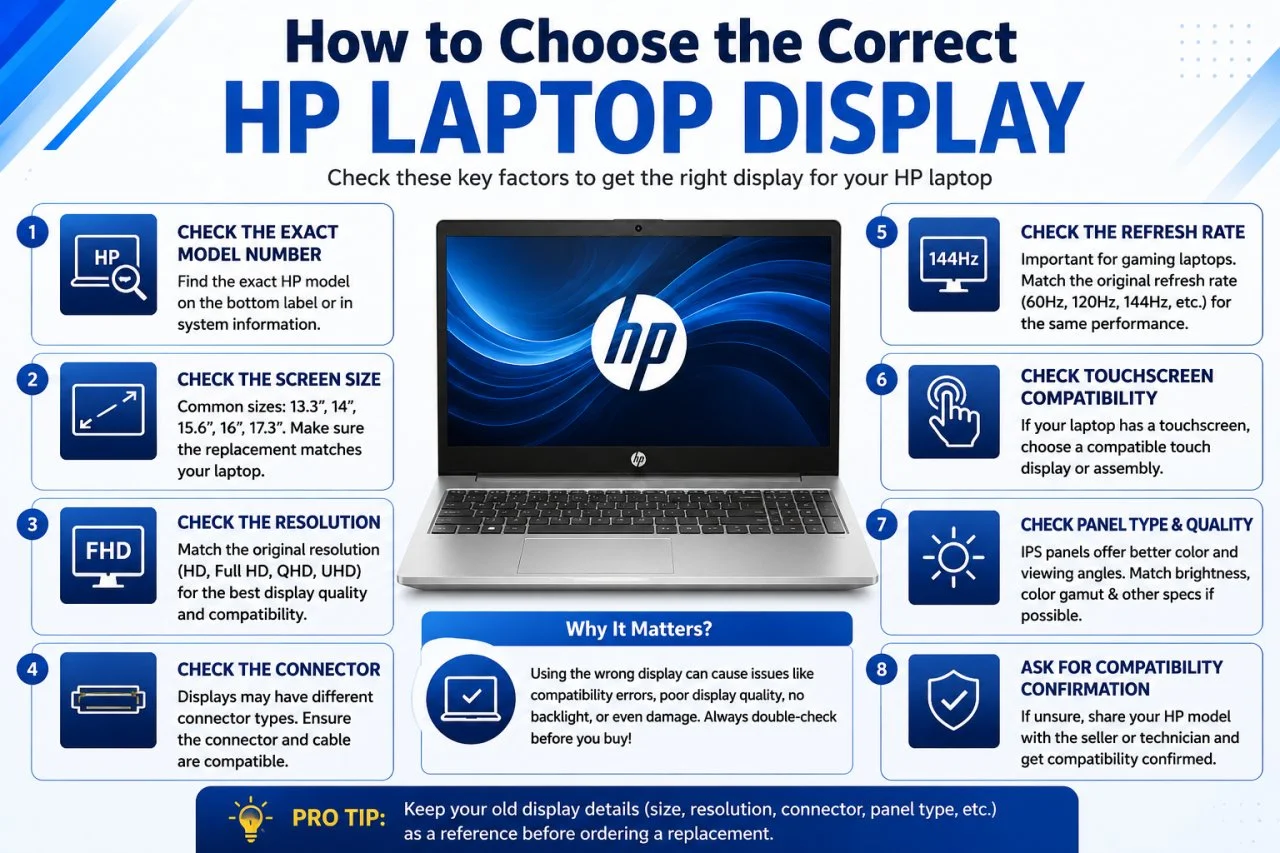
Before purchasing an HP laptop replacement screen, check these specifications.
Check the Exact Model Number
Look at the laptop's bottom label or system information to identify the exact model.
Check the Screen Size
Make sure the replacement has the correct physical size.
Check the Resolution
Match the original resolution whenever possible.
Check the Connector
Laptop displays may use different connector configurations. The connector and cable must be compatible.
Check the Refresh Rate
This is particularly important for HP gaming laptops.
Check Touchscreen Compatibility
If your laptop originally has a touchscreen, make sure the replacement supports the required touch functionality.
Ask for Compatibility Confirmation
If you are unsure, provide the laptop's exact model number to the seller or technician before purchasing.
Why Compare the Display Cost Before Replacing Your Laptop?
A damaged screen does not necessarily mean the entire laptop is unusable.
If the laptop's processor, motherboard, RAM, SSD, keyboard, battery, and other components are functioning properly, replacing only the damaged display may extend the useful life of the device.
This can be particularly useful for students, professionals, businesses, and users who depend on their existing laptop setup.
HP Laptops Available at Iron Hawk IT Solutions
If your laptop display damage is severe and you are considering replacing the entire device instead, Iron Hawk IT Solutions offers a range of HP laptops.
Its HP laptop listings include models from the HP 14, HP 15, HP Pavilion, HP Victus, HP Omen, and HP 255 series, with configurations ranging from everyday-use laptops to gaming systems.
Iron Hawk IT Solutions also lists refurbished HP models such as HP EliteBook and HP ProBook laptops.
HP Laptop Display Replacement
For a better understanding of HP laptop display replacement, you can also watch helpful YouTube videos that demonstrate the screen replacement process and explain important factors such as display compatibility, screen size, resolution, connectors, and installation.
These videos can help you understand what to check before purchasing a replacement screen and how professional display replacement is performed.
If you are planning to replace your HP laptop display, make sure to verify your exact laptop model and display specifications before ordering.
Frequently Asked Questions About HP Laptop Display Price
1. What is the HP laptop display price in India?
The price can vary widely depending on the model and specifications. A basic replacement may start around ₹2,500–₹4,000, while premium, touchscreen, or gaming displays can cost considerably more.
2. How much does an HP 15.6-inch laptop display cost?
A 15.6-inch HP replacement display can typically range from around ₹3,000 to ₹7,000 or more depending on resolution, panel type, refresh rate, and compatibility.
3. Is HP laptop display replacement cheaper than buying a new laptop?
Often, yes—especially when the laptop is otherwise working well. However, for an older laptop with several hardware problems, buying a refurbished or newer laptop may provide better value.
4. Can I replace an HD HP display with a Full HD display?
Not always. Compatibility depends on the exact laptop model, motherboard, display connector, cable, BIOS support, mounting configuration, and other specifications. Always confirm compatibility before upgrading.
5. How do I find the correct HP laptop screen?
Find the exact HP model number and check the original display's size, resolution, connector, refresh rate, and panel specifications. When in doubt, have a technician verify the screen before purchasing.
6. Why is a gaming HP laptop display more expensive?
Gaming models such as HP Victus and Omen can use high-refresh-rate, higher-quality, or higher-resolution panels. These specifications can increase replacement costs.
7. Should I buy the cheapest HP laptop display?
Not necessarily. A very cheap panel may have different brightness, color quality, refresh rate, or compatibility. Focus on getting a properly compatible display rather than simply choosing the lowest price.
8. Where can I buy an HP laptop?
You can explore HP laptop models through Iron Hawk IT Solutions, which currently lists new HP laptops as well as refurbished HP options.
Final Verdict
The HP laptop display price depends mainly on the exact HP model, screen size, resolution, panel type, refresh rate, touchscreen support, and display quality.
Before purchasing a replacement, identify your exact laptop model and verify the display specifications. If the repair cost is too high compared with your laptop's overall value, consider purchasing a refurbished or newer HP laptop instead.
Buy HP Laptops from Iron Hawk IT Solutions
Looking for an HP laptop at a competitive price? Iron Hawk IT Solutions offers HP laptops across different categories, including everyday-use, business, and gaming models. The website also features refurbished laptops for customers looking for budget-friendly options.
Shop HP Laptops at Iron Hawk IT Solutions
Choose the right HP laptop for your needs and shop from Iron Hawk IT Solutions today.