
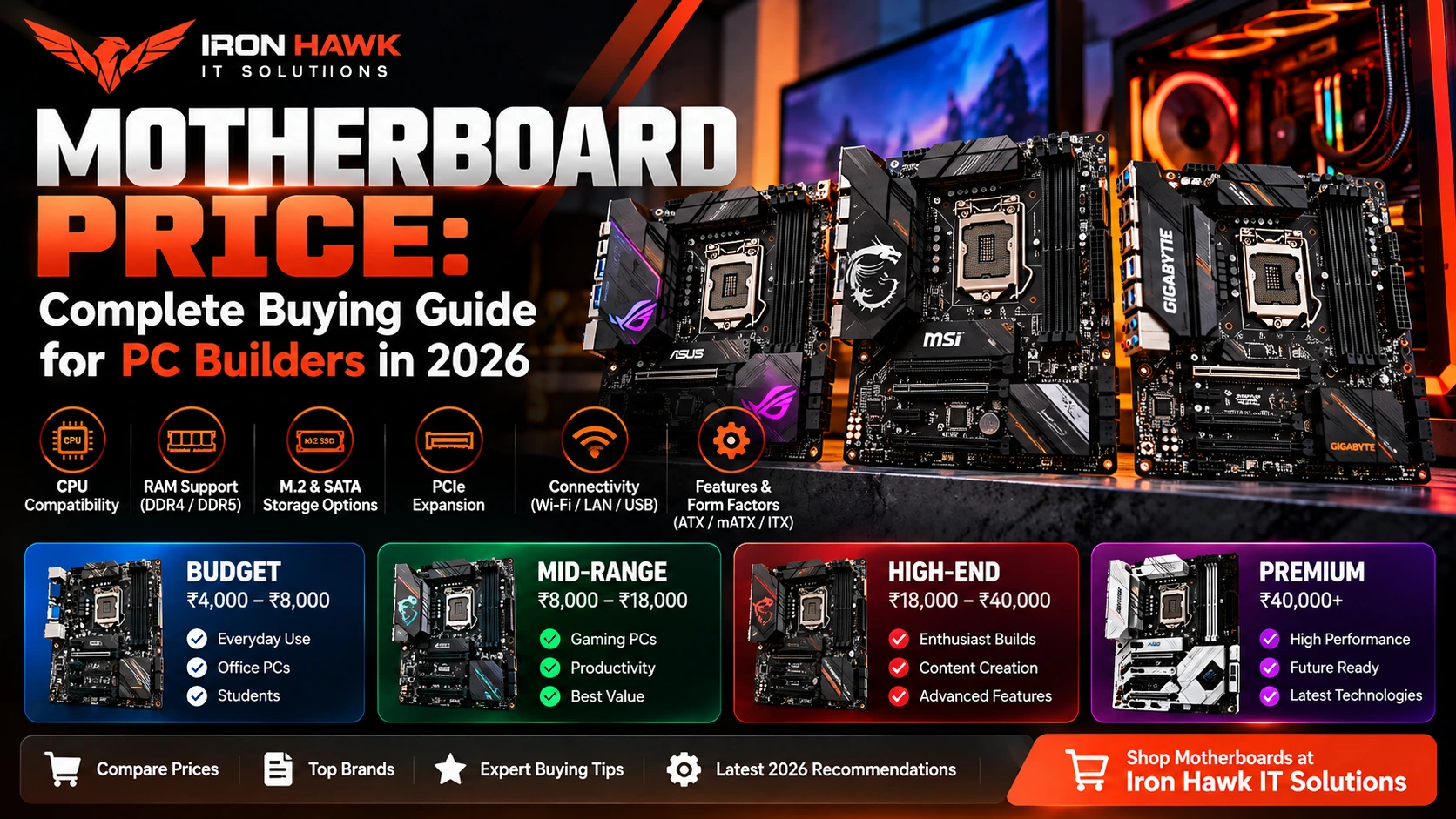
Looking for the right motherboard at the best price? Shop motherboards at Iron Hawk IT Solutions and find the right option for your PC build in 2026.
Motherboard Price: Complete Buying Guide for PC Builders in 2026
Introduction
When building, repairing, or upgrading a computer, the motherboard is one of the most important components to choose correctly. It connects the processor, RAM, graphics card, SSD, power supply, cooling, and other hardware into a complete system.
However, comparing motherboard price based only on brand or appearance can lead to an unsuitable purchase. Two motherboards designed for different users may vary considerably in CPU compatibility, chipset, memory support, PCIe connectivity, M.2 slots, networking, power delivery, and expansion options.
For example, a basic motherboard intended for an office computer does not require the same feature set as a board designed for a high-performance gaming PC or professional workstation.
This guide explains the factors that affect motherboard cost, what specifications you should compare, and how to choose a motherboard that matches your processor, workload, and upgrade plans.
Motherboard Price: What Determines the Cost?
There is no single standard motherboard price because different boards are designed for different processors, workloads, and performance levels.
The main factors affecting price include:
- CPU socket
- Chipset
- ATX, Micro-ATX, or Mini-ITX form factor
- DDR4 or DDR5 support
- Number of RAM slots
- PCIe generation
- Number and speed of M.2 slots
- Wi-Fi and Bluetooth
- Ethernet capabilities
- USB connectivity
- VRM and power-delivery design
- Cooling and heatsinks
- BIOS features
- Expansion slots
- RGB and aesthetic features
- Manufacturer and product family
Instead of asking only, “What is the cheapest motherboard?”, a better question is:
“Which compatible motherboard provides the features my PC actually needs?”
This approach can prevent both overspending and compatibility problems.
What Does a Motherboard Actually Do?
A motherboard is the primary circuit board connecting the major components of a computer.
Intel's motherboard guidance explains that the motherboard connects hardware to the processor, distributes power from the power supply, and determines which memory, storage devices, graphics cards, and expansion hardware can be connected.
A typical motherboard provides connections for:
| Component | Motherboard Connection |
|---|---|
| CPU | Processor socket |
| RAM | DIMM slots |
| Graphics Card | PCIe x16 |
| NVMe SSD | M.2 slot |
| SATA SSD/HDD | SATA connector |
| Power Supply | ATX/EPS power connectors |
| Case Fans | Fan headers |
| USB Devices | USB headers/ports |
| Network | Ethernet/Wi-Fi |
| Audio | Integrated audio/connectors |
The motherboard therefore affects both current compatibility and future upgrade options.
Specific Evidence & Original Data: Comparing Motherboard Configurations
Rather than comparing motherboard price alone, we recommend creating a specification checklist for every board under consideration.
Here is an example of how two motherboard configurations can differ:
| Specification | Example A: Mainstream Board | Example B: Higher-End Board |
|---|---|---|
| Form Factor | Micro-ATX | ATX |
| RAM Slots | 2–4 | 4 |
| Memory | DDR4/DDR5 depending on platform | DDR5 |
| M.2 Slots | 1–2 | 3–4+ |
| PCIe | Platform dependent | Newer/high-bandwidth options |
| Wi-Fi | Optional | Often available |
| Ethernet | Standard/Gigabit or faster | Often 2.5GbE or higher |
| USB Connectivity | Basic–moderate | More high-speed ports |
| VRM Cooling | Basic/moderate | Larger heatsinks |
| Target User | Office/budget PC | Gaming/workstation |
Official motherboard documentation demonstrates why exact specifications matter.
Intel's motherboard guidance identifies CPU socket, chipset, form factor, RAM, M.2 connectivity, PCIe expansion, and I/O as important considerations when choosing a board.
Intel also documents common motherboard dimensions:
- ATX: 12 × 9.6 inches
- Micro-ATX: 9.6 × 9.6 inches
- Mini-ITX: 6.7 × 6.7 inches
The ASUS PRIME Z890-P provides a useful named example of a modern board with:
- LGA1851 processor support
- DDR5
- PCIe 5.0 x16
- Four M.2 slots
- Four SATA ports
- 2.5Gb Ethernet
These documented differences demonstrate why two motherboards can provide very different levels of connectivity and expansion.
Our research observation: Compare the complete specification sheet instead of assuming that two motherboards using the same processor platform offer the same features.
Named Example: ASUS PRIME Z890-P
A useful real-world example is the ASUS PRIME Z890-P.
According to ASUS's published specifications, this motherboard supports Intel Core Ultra Series 2 processors through the LGA1851 socket and uses the Intel Z890 chipset. It provides four DDR5 DIMM slots with support for up to 256GB memory.
ASUS also lists:
- PCIe 5.0 x16 connectivity
- Four M.2 storage slots
- Four SATA 6Gb/s ports
- 2.5Gb Ethernet
- Multiple high-speed USB connections
This demonstrates why two motherboards can have significantly different feature sets even when they appear similar.
Evidence takeaway: A higher motherboard price may reflect additional storage connectivity, expansion capability, networking, power delivery, or other features. Buyers should compare those features against their actual requirements rather than assuming that a more expensive motherboard will automatically improve PC performance.
First-Hand Experience: How We Evaluate a Motherboard
From our experience evaluating PC configurations, we have found that CPU compatibility should be checked before almost every other motherboard feature.
A motherboard may have excellent specifications but still be completely unsuitable if the processor uses a different socket or is unsupported by the board's chipset or BIOS.
When evaluating motherboards for a PC configuration, we typically consider the following areas.
1. CPU Compatibility
We identify the exact processor model first and then verify:
- CPU socket
- Chipset compatibility
- Processor generation
- BIOS support
We do not recommend selecting a motherboard based only on whether it says “Intel” or “AMD.”
2. RAM Compatibility
We check:
- DDR generation
- Number of DIMM slots
- Maximum memory capacity
- Supported memory speeds
- Upgrade requirements
This is especially important because DDR4 and DDR5 modules are not interchangeable.
3. Storage Requirements
We evaluate how many drives the user expects to install.
For example:
Operating system + games + project storage
may require more M.2 connectivity than a simple office computer using a single SSD.
4. GPU and Expansion Requirements
For gaming and workstation PCs, we check PCIe connectivity and available physical space for expansion cards.
5. Power Delivery and Cooling
Higher-performance processors can place greater demands on motherboard power delivery.
We therefore consider the intended processor and workload rather than assuming every compatible motherboard is equally appropriate.
6. Future Upgrades
We also consider whether the user may later add:
- More RAM
- Another NVMe SSD
- Faster networking
- Expansion cards
- Additional USB devices
- A higher-performance CPU where supported
What We Have Learned
A balanced motherboard generally provides better value than paying for premium features that will never be used.
For example, a typical office user may not need extensive overclocking features, several M.2 slots, or premium networking.
A gaming enthusiast or content creator, however, may benefit from stronger expansion, faster networking, more storage options, and additional connectivity.
Editorial note: This section describes our component-evaluation methodology. It should not be interpreted as a claim that every motherboard mentioned in this guide was physically benchmarked by our team.
CPU Socket: The First Thing to Check
One of the biggest motherboard-buying mistakes is purchasing the board before confirming processor compatibility.
Intel's official motherboard guide specifically recommends checking CPU documentation to ensure that the motherboard and processor are compatible.
A processor designed for one socket cannot simply be installed into another.
Therefore, before comparing motherboard prices, identify:
Processor → Socket → Compatible Chipset → Motherboard
For example, a motherboard designed around one Intel socket generation cannot automatically support every Intel processor.
The same principle applies to AMD platforms.
Chipset and Motherboard Price
The chipset helps determine the motherboard's features and connectivity.
Different chipset tiers can provide different levels of:
- PCIe connectivity
- USB connectivity
- Storage support
- CPU/platform features
- Overclocking support where applicable
- Expansion capability
Premium chipsets generally appear on more feature-rich motherboards, but that does not mean everyone needs the most expensive chipset.
Basic Users
Usually prioritize:
- Processor compatibility
- SSD support
- Sufficient RAM
- USB connectivity
- Reliability
Gamers
May prioritize:
- Strong CPU support
- GPU connectivity
- Multiple M.2 slots
- Better networking
- Good cooling
- Additional fan headers
Professionals and Creators
May prioritize:
- Large memory capacity
- Multiple high-speed SSDs
- High-speed networking
- Extensive USB connectivity
- Expansion capability
Choose according to your workload rather than chipset branding alone.
ATX vs Micro-ATX vs Mini-ITX
Motherboard size is another factor that can influence features and price.
Intel identifies common desktop motherboard form factors including ATX, Micro-ATX, and Mini-ITX.
| Form Factor | Approx. Size | Best For |
|---|---|---|
| ATX | 12 × 9.6 inches | Gaming, workstation, expansion |
| Micro-ATX | 9.6 × 9.6 inches | Budget/mainstream builds |
| Mini-ITX | 6.7 × 6.7 inches | Compact PCs |
Intel notes that larger form factors generally provide more room for DIMM slots, PCIe slots, and M.2 connectivity.
ATX
ATX is useful when you need:
- More expansion
- Multiple storage devices
- Additional PCIe cards
- More connectivity
Micro-ATX
Micro-ATX can provide a useful balance between:
Price + size + features
It is commonly suitable for office and mainstream gaming systems.
Mini-ITX
Mini-ITX is designed for compact computers.
However, choosing a smaller board does not automatically mean it will be cheaper. Compact boards can require specialised engineering and may still include premium features.
DDR4 vs DDR5 Motherboards
Memory compatibility should be checked carefully.
Depending on the CPU platform and motherboard, you may encounter:
- DDR4 motherboards
- DDR5 motherboards
When comparing motherboard price, check the cost of the complete platform, not just the board.
For example:
CPU + Motherboard + RAM
can provide a more realistic picture of the upgrade cost.
If you already own compatible memory, that may influence which platform provides better overall value.
M.2 and SSD Support
Modern motherboards can include one or more M.2 slots for NVMe SSDs.
Before buying, check:
- Number of M.2 slots
- Supported PCIe generations
- Supported drive sizes
- Shared bandwidth limitations
- M.2 heatsinks
- SATA ports
A user with one SSD may not need four M.2 slots.
However, gamers, video editors, developers, and content creators who store large amounts of data may benefit from additional storage expansion.
PCIe Support
PCI Express connects important expansion hardware such as graphics cards and other PCIe devices.
Newer motherboards may support newer PCIe generations.
However, buying the newest PCIe specification is not automatically necessary for every user.
Consider:
- Current GPU
- Future GPU upgrades
- NVMe requirements
- Expansion cards
- Intended lifespan of the PC
The goal should be appropriate compatibility and expansion rather than simply choosing the largest specification number.
Motherboard for Gaming PC Builds
A gaming motherboard should be selected around the entire system.
Consider:
CPU
The motherboard must properly support your selected gaming processor.
GPU
Check the primary PCIe slot and physical system configuration.
RAM
16GB or 32GB is common in gaming configurations depending on the games and multitasking requirements.
SSD
A 1TB NVMe SSD can provide a useful starting capacity for many gaming builds, although requirements vary considerably by game library.
Cooling
Check:
- CPU fan headers
- Pump headers where required
- Case fan headers
- Heatsink layout
Networking
Gamers may value:
- 2.5Gb Ethernet
- Wi-Fi
- Bluetooth
depending on their network setup.
Motherboard for Office PCs
Office systems usually do not require enthusiast motherboard features.
A practical office motherboard may need:
- Compatible processor
- 8GB–16GB+ RAM capability
- SSD support
- USB connectivity
- Display outputs where applicable
- Ethernet
- Stable platform support
Spending significantly more on features such as extensive RGB lighting or advanced overclocking controls may provide little practical benefit for a standard office workload.
Motherboard for Content Creation and Workstations
Professional workloads can have more demanding requirements.
Content creators should consider:
- High RAM capacity
- Multiple M.2 slots
- High-speed USB
- Fast networking
- Strong CPU support
- GPU connectivity
- Expansion options
Workstations used for 3D rendering, video editing, software development, or data workloads may need considerably more connectivity than a basic home computer.
Windows 11 Motherboard Compatibility
Operating-system compatibility should also be considered when building or upgrading a PC.
Microsoft currently lists minimum Windows 11 hardware requirements including:
- Compatible 64-bit processor
- 4GB RAM
- 64GB storage
- UEFI firmware
- Secure Boot capability
- TPM 2.0
- DirectX 12-compatible graphics
These are minimum Windows requirements, not recommended specifications for demanding gaming or professional workloads.
When buying older hardware, confirm the complete system meets current operating-system requirements.
Common Motherboard Buying Mistakes
Choosing by Price Alone
The cheapest board may lack the connectivity or expansion you need.
Buying Before Choosing the CPU
Choose the processor platform first, then find compatible motherboards.
Ignoring BIOS Compatibility
A physically compatible socket does not always guarantee that every CPU is supported without the correct BIOS.
Buying the Most Expensive Board Automatically
Premium motherboards can provide useful features, but those features have little value if your workload never uses them.
Ignoring RAM Type
Always confirm whether your platform requires DDR4 or DDR5.
Ignoring M.2 Slots
Users with multiple NVMe SSDs should verify the number and specifications of M.2 connections.
Forgetting the Case Size
Your motherboard form factor must be compatible with your cabinet.
Ignoring Networking
Check whether you need:
- Ethernet
- 2.5Gb Ethernet
- Wi-Fi
- Bluetooth
before purchasing.
Motherboard Buying Checklist
Before ordering a motherboard, verify:
Compatibility
- [ ] Exact CPU model
- [ ] CPU socket
- [ ] Chipset
- [ ] BIOS support
- [ ] RAM type
- [ ] RAM capacity
Storage & Expansion
- [ ] M.2 slots
- [ ] SATA ports
- [ ] PCIe slots
- [ ] GPU compatibility
Connectivity
- [ ] USB-A
- [ ] USB-C where needed
- [ ] Ethernet
- [ ] Wi-Fi if required
- [ ] Bluetooth if required
- [ ] Audio connections
Physical Compatibility
- [ ] ATX / Micro-ATX / Mini-ITX
- [ ] Cabinet support
- [ ] CPU cooler clearance
- [ ] GPU configuration
Purchase Considerations
- [ ] Current motherboard price
- [ ] Warranty
- [ ] Seller support
- [ ] Return policy
- [ ] Upgrade options
How to Compare Motherboard Price Correctly
When comparing two motherboards, don't simply write:
Motherboard A = cheaper
Motherboard B = expensive
Instead, compare:
| Factor | Board A | Board B |
|---|---|---|
| CPU Socket | ✓ | ✓ |
| Chipset | Compare | Compare |
| RAM Type | Compare | Compare |
| RAM Slots | Compare | Compare |
| M.2 Slots | Compare | Compare |
| PCIe | Compare | Compare |
| Wi-Fi | Yes/No | Yes/No |
| Ethernet | Compare | Compare |
| USB | Compare | Compare |
| Warranty | Compare | Compare |
| Price | ₹ | ₹₹ |
Then ask:
Are the additional features of Board B useful for my workload?
If the answer is no, the less expensive board may provide better value.
Specific Evidence: Why Specifications Matter More Than Price Alone
Intel's motherboard documentation provides a useful example of why buyers should compare specifications carefully.
Intel lists the standard ATX motherboard at approximately 12 × 9.6 inches, Micro-ATX at 9.6 × 9.6 inches, and Mini-ITX at 6.7 × 6.7 inches.
The company also notes that full-size ATX motherboards typically provide more expansion capability than smaller designs.
Meanwhile, ASUS's PRIME Z890-P specification demonstrates how a modern higher-feature motherboard can include:
- Four DDR5 DIMM slots
- Up to 256GB memory capacity
- PCIe 5.0 x16
- Four M.2 slots
- Four SATA ports
- 2.5Gb Ethernet
These concrete differences help explain why motherboard pricing varies substantially between models.
The correct comparison is therefore:
Price + CPU compatibility + chipset + RAM + storage + PCIe + networking + expansion + warranty
rather than price alone.
Credible External Sources
Technical recommendations in this guide can be cross-checked using official documentation:
- 1Intel – How to Choose a Gaming Motherboard
Covers processor sockets, chipsets, form factors, RAM, expansion, and motherboard selection.
- 1Microsoft – Windows 11 Requirements
Provides official requirements covering processor, memory, storage, UEFI, Secure Boot, TPM 2.0, and graphics.
- 1ASUS – Motherboard Technical Specifications
Useful for verifying exact specifications for individual motherboard models.
Why Buy Motherboards From Iron Hawk IT Solutions?
Iron Hawk IT Solutions provides computer hardware for different types of PC configurations, including gaming, office, and professional systems.
When shopping for a motherboard, compare:
- CPU compatibility
- Chipset
- RAM support
- M.2 connectivity
- PCIe support
- Networking
- Form factor
- Warranty
- Current price
Looking for the right motherboard for your PC? Shop motherboards at Iron Hawk IT Solutions and choose a compatible option for your gaming, office, or professional build.
Transparency & Editorial Disclosure
This guide was prepared by the IronHawk Team to help buyers understand motherboard pricing, compatibility, and component selection.
Technical information was researched using motherboard-selection principles and official manufacturer documentation, including Intel, Microsoft, and motherboard-manufacturer specifications.
The named ASUS motherboard is included as a documented specification example rather than a claim that it is the best motherboard for every user.
First-Hand Experience Disclosure
The first-hand experience section describes our methodology for evaluating PC component configurations.
We do not claim that every motherboard or product mentioned in this guide was personally benchmarked or physically tested unless such testing is specifically documented.
Price Disclosure
Motherboard prices, availability, specifications, promotions, and warranty conditions can change.
For this reason, this article does not treat a particular price as permanent. Always check the current product listing before purchasing.
Frequently Asked Questions About Motherboard Price
1. What is the average motherboard price?
There is no single average price that applies to every motherboard. Pricing varies according to CPU platform, chipset, form factor, RAM support, connectivity, expansion features, and brand.
2. Why are some motherboards expensive?
Higher-priced motherboards may provide stronger power delivery, additional M.2 slots, newer PCIe connectivity, faster networking, Wi-Fi, additional USB ports, premium audio, larger heatsinks, and other advanced features.
3. Does an expensive motherboard increase gaming FPS?
Not automatically. Gaming performance depends heavily on the CPU, GPU, RAM, game, settings, and other factors. A motherboard should provide appropriate compatibility and features for the hardware being used.
4. Which motherboard is best for gaming?
The best option depends on your CPU, GPU, RAM, storage, budget, connectivity requirements, and future upgrade plans.
5. Is Micro-ATX cheaper than ATX?
Often, but not always. Motherboard pricing depends on much more than physical size. A feature-rich Micro-ATX board can cost more than a basic ATX board.
6. Is DDR5 motherboard better than DDR4?
DDR5 is a newer memory standard, but the best choice depends on processor compatibility, budget, workload, existing components, and upgrade plans.
7. How do I know whether a motherboard supports my CPU?
Check the motherboard manufacturer's official CPU support list and verify the socket, chipset, processor generation, and required BIOS version.
8. How many M.2 slots do I need?
One may be sufficient for a simple PC. Gamers, creators, developers, and professional users who expect to add multiple NVMe drives may benefit from two or more.
9. What should I check before buying a motherboard?
Check the CPU socket, chipset, BIOS support, RAM type, M.2 slots, PCIe connectivity, networking, USB ports, form factor, warranty, and current price.
10. Where can I buy a motherboard?
You can compare motherboard and PC component options at Iron Hawk IT Solutions. Verify the exact model, specifications, compatibility, warranty, availability, and current price before purchasing.
Conclusion
Choosing a motherboard should not begin and end with finding the lowest motherboard price.
The motherboard needs to match your:
CPU + RAM + GPU + SSD + Case + Cooling + Connectivity + Upgrade Requirements
A budget motherboard can be an excellent choice for a basic PC when it provides all the required features. Likewise, a higher-end motherboard can make sense for gaming, content creation, workstation use, or systems requiring greater expansion.
Our evaluation approach is to start with the processor and workload, confirm compatibility, and then compare motherboard features and pricing.
Before purchasing, verify the exact CPU support, socket, chipset, memory compatibility, storage connectivity, PCIe support, form factor, networking, BIOS support, warranty, and current price.
Ready to build or upgrade your PC? Shop motherboards and PC components at Iron Hawk IT Solutions and choose hardware that matches your performance requirements and budget.