
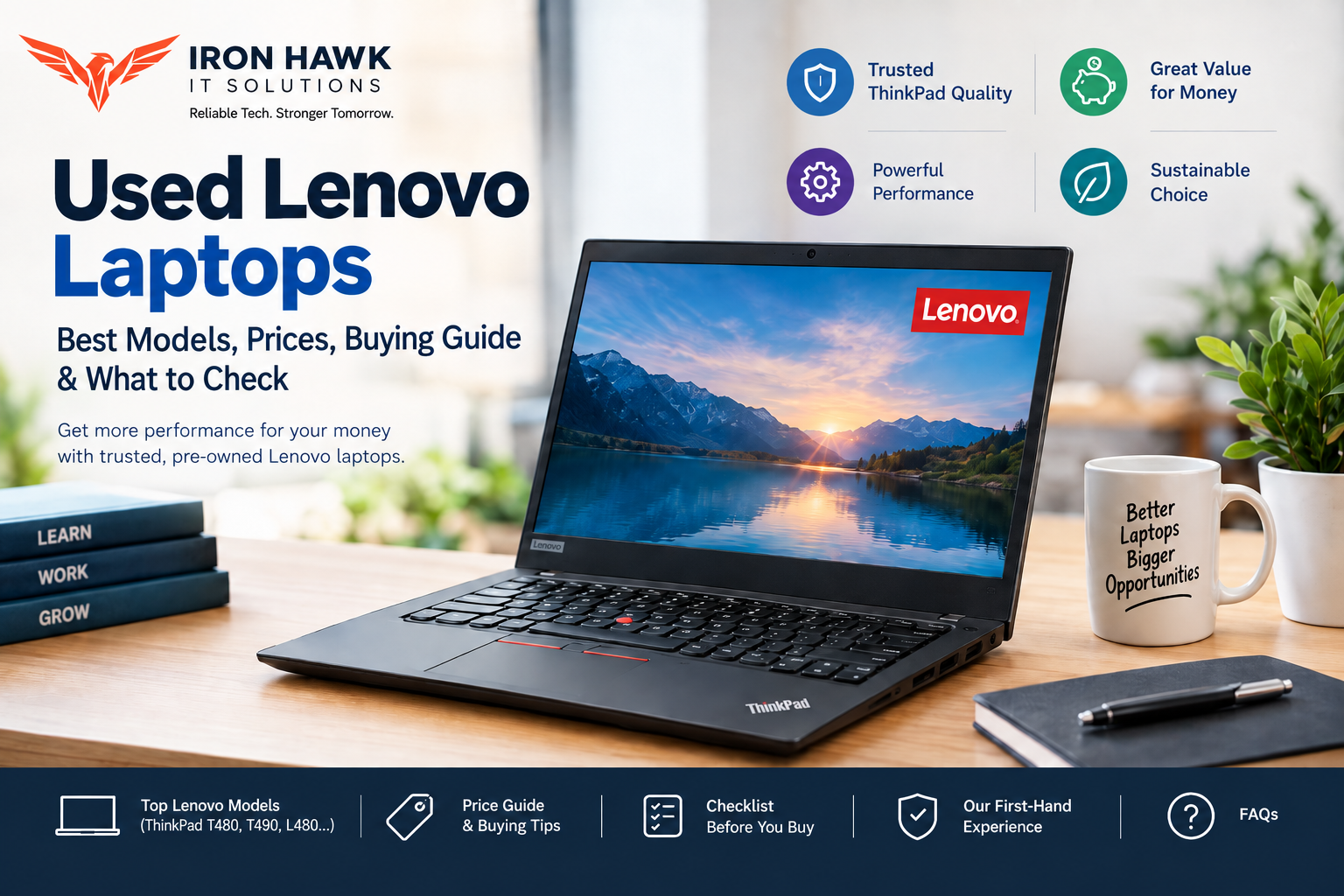
Used Lenovo Laptops: Best Models, Prices, Buying Guide & What to Check
Introduction
Buying a laptop does not always mean purchasing a brand-new device. For students, professionals, freelancers, business users, and budget-conscious buyers, used Lenovo laptops can provide a practical combination of performance, durability, and affordability.
Lenovo's ThinkPad and ThinkPad L-series models are particularly popular in the used-laptop market because many were originally designed for business environments. Models such as the ThinkPad T480, T490, and L480 can offer features such as Intel Core processors, upgradeable memory on certain configurations, SSD storage, business-oriented security features, and multiple connectivity options.
However, buying a used laptop requires more than comparing prices. You should check the processor generation, RAM, SSD health, battery condition, display, keyboard, ports, charging adapter, operating-system compatibility, and overall physical condition.
This guide explains how to choose used Lenovo laptops, which models are worth considering, what specifications to look for, and how to avoid common mistakes when buying a pre-owned Lenovo laptop.
Used Lenovo Laptops: Are They Worth Buying?
Yes, a properly inspected used Lenovo laptop can be a good choice when the hardware condition and price match your requirements.
The biggest advantage is value. Instead of spending your entire budget on an entry-level new laptop, you may be able to purchase an older business-class Lenovo model with a stronger processor, better build quality, more RAM, and an SSD.
For example, Lenovo's specifications show that the ThinkPad L480 was available with up to an 8th-generation Intel Core i7 processor, up to 32GB DDR4 memory, and SSD storage options.
That makes models from this generation worth investigating when you are looking for an affordable laptop for everyday productivity.
Main Benefits
- Lower purchase price than many new laptops
- Good performance for office and student workloads
- Business-class ThinkPad construction
- SSD options for faster everyday performance
- Upgrade potential on selected models
- Good keyboard and connectivity on many ThinkPad models
- Suitable for browsing, MS Office, programming, accounting and online learning
Possible Disadvantages
- Battery capacity may have decreased with age
- The laptop may show cosmetic wear
- Older processors may not be suitable for demanding gaming or professional workloads
- Warranty coverage may be limited
- Some configurations may not support the latest Windows requirements
- Used laptop condition can vary considerably between individual units
Best Used Lenovo Laptop Models to Consider
Different Lenovo models suit different users. The following examples are useful starting points when evaluating the used market.
| Lenovo Model | Example Processor Class | Typical Use | Key Point |
|---|---|---|---|
| ThinkPad T480 | 8th Gen Intel Core i5/i7 | Students, office, programming | Strong business-class option |
| ThinkPad T490 | 8th/10th Gen Intel Core i5/i7 | Professionals, business | Modern features and compact design |
| ThinkPad L480 | 7th/8th Gen Intel Core | Students, office, business | Good upgrade-oriented option |
| ThinkPad L490 | 8th Gen Intel Core | Office, education | Balanced productivity choice |
| ThinkPad X-series | Various Intel generations | Travel, professionals | Compact and portable |
The exact processor, RAM, display, battery and storage configuration can differ significantly between units of the same model. Always verify the individual laptop's specification before purchasing.
1. Lenovo ThinkPad T480
The ThinkPad T480 is one of the most interesting options in the used Lenovo laptop market.
It is especially suitable for buyers who want a business-oriented laptop for productivity rather than high-end gaming.
A good T480 configuration with an Intel Core i5 processor, 8GB or 16GB RAM and an SSD can handle tasks such as:
- Microsoft Office
- Web browsing
- Online classes
- Programming
- Accounting software
- Video conferencing
- Business applications
- Basic photo editing
When buying a used T480, pay particular attention to battery health, display condition, keyboard condition, USB ports, charging functionality and SSD health.
2. Lenovo ThinkPad T490
The ThinkPad T490 is another strong option for buyers searching for used Lenovo laptops.
Lenovo's official specifications show configurations ranging from 8th-generation to 10th-generation Intel Core processors. Some configurations support up to 48GB DDR4 memory and up to a 1TB PCIe NVMe SSD.
For a used T490, a configuration such as:
Core i5 + 16GB RAM + 256GB/512GB SSD
can provide a strong balance for office work, programming, browsing and multitasking.
The T490 can therefore be a good option when you want something more modern than an older entry-level laptop but still want to stay within a used-laptop budget.
3. Lenovo ThinkPad L480
The ThinkPad L480 is another practical model for budget-conscious buyers.
According to Lenovo's specifications, the L480 was offered with 7th- and 8th-generation Intel Core processors. Certain configurations supported up to 32GB DDR4 memory and SSD storage.
The L480 can be particularly attractive for:
- College students
- Office employees
- Small businesses
- Freelancers
- Remote workers
- Home users
If you find an L480 with an 8th-generation Core i5 processor, 8GB/16GB RAM and an SSD at a reasonable price, it can be worth considering.
Specific Evidence & Original Data: Comparing Used Lenovo Laptops
When researching used Lenovo laptops, we compared documented specifications from Lenovo's official product documentation rather than evaluating laptops only by their model names. This comparison shows why the exact processor, memory and storage configuration matters when deciding whether a used Lenovo laptop is a good purchase.
Documented Lenovo Model Comparison
| Lenovo Model | Example Processor | Maximum/Example RAM | Storage Examples | Suitable For |
|---|---|---|---|---|
| ThinkPad T480 | Intel Core i5-8250U / i7-8650U | Up to 32GB | SATA SSD / PCIe SSD options | Students, office, programming |
| ThinkPad T490 | Intel Core i5-8265U / i7-8565U | Up to 48GB | Up to 1TB PCIe NVMe SSD | Professionals, business |
| ThinkPad L480 | Intel Core i5-8250U / i5-8350U / i7-8550U | Up to 32GB | SSD options available | Students, office, small business |
| ThinkPad L490 | Intel Core i5/i7 options | Up to 64GB depending on configuration | SSD options | Business and productivity |
These are documented model-level specifications, not claims that every used unit will have these configurations. Lenovo's official specifications show that the T490 supports processors including the Core i5-8265U and Core i7-8565U, while the L480 documentation lists processors including the Core i5-8250U, i5-8350U and i7-8550U.
Example 1: ThinkPad T480
The ThinkPad T480 is a useful example of why buyers should check the exact configuration.
A T480 with:
- Intel Core i5 processor
- 16GB RAM
- 512GB SSD
- Full HD display
can be substantially more attractive for multitasking than another T480 configured with less RAM and slower storage.
Therefore, we recommend comparing the actual specification of the individual laptop, rather than assuming every T480 provides the same performance.
Example 2: ThinkPad T490
Lenovo's official T490 documentation lists 8th-generation Intel Core i5 and i7 processors, including the Core i5-8265U and Core i7-8565U. Lenovo also documents configurations supporting up to 48GB of DDR4 memory and PCIe NVMe SSD storage options.
For a used T490, a configuration such as:
Core i5 + 16GB RAM + 512GB SSD
is a practical specification to look for when the laptop will be used for programming, office work, business applications or multitasking.
Example 3: ThinkPad L480
Lenovo's L480 documentation identifies several processor options, including the Intel Core i5-8250U, Core i5-8350U and Core i7-8550U. The platform supports up to 32GB DDR4 memory in supported configurations.
This makes a properly configured L480 an interesting option for buyers looking for a business-oriented used laptop at a lower price.
Windows 11 Compatibility Is Another Important Data Point
Microsoft's official Windows 11 requirements specify a compatible 64-bit processor, at least 4GB RAM, at least 64GB storage, UEFI/Secure Boot capability and TPM 2.0, among other requirements.
This is important when purchasing an older used Lenovo laptop. Having 8GB or 16GB RAM alone does not guarantee official Windows 11 compatibility.
Our Research-Based Buying Benchmark
Based on the specifications we compared, we use the following configuration as a practical benchmark when evaluating a used Lenovo laptop for general productivity:
| Component | Basic Target | Preferred Target |
|---|---|---|
| Processor | Intel Core i5-class | Newer Core i5-class |
| RAM | 8GB | 16GB |
| Storage | 256GB SSD | 512GB SSD |
| Display | Full HD preferred | Full HD IPS |
| Battery | Tested | Healthy |
| Operating System | Compatible Windows version | Windows 11-compatible hardware |
| Warranty | Available if possible | Seller-backed warranty preferred |
This benchmark is our buying guideline, not a manufacturer specification. The right configuration still depends on the buyer's workload and budget.
What the Evidence Tells Us
The documented specifications demonstrate an important point: the same Lenovo model can exist in several different configurations.
For example, a used ThinkPad T490 could have different processor, RAM and storage combinations. Therefore, searching only for "used Lenovo T490" is not enough. Buyers should ask for the exact CPU model, RAM, SSD capacity, battery condition and warranty information before purchasing.
Sources: Lenovo Product Specifications Reference (PSREF) documentation for ThinkPad models and Microsoft official Windows 11 system requirements.
Our First-Hand Experience Evaluating Used Lenovo Laptops
In our experience evaluating used Lenovo laptops, we have found that the actual condition of the laptop is often more important than the model name alone. Two ThinkPad T480 laptops, for example, can have very different values depending on their RAM, SSD, battery health, display condition, keyboard condition and previous usage.
During our practical laptop evaluations, we found that checking the laptop in person before purchase helps identify issues that are not always visible in product photos or specifications. We specifically look at the processor model, RAM, SSD, battery, display, keyboard, ports, charger and overall physical condition.
What We Found During Laptop Checks
Battery condition: We found that battery health is one of the first things buyers should check when purchasing an older ThinkPad. A laptop may perform normally while its battery has significantly reduced capacity.
SSD performance: In our checks, laptops equipped with SSD storage generally provide a noticeably more responsive everyday experience than older systems using traditional hard drives. For used Lenovo laptops, we therefore recommend confirming the storage type and checking its health before purchase.
RAM: From our experience, 8GB RAM is suitable for many basic workloads such as web browsing, documents and online classes. For users who regularly multitask, run development tools or keep many browser tabs open, we recommend considering 16GB where the laptop supports it.
Keyboard and ports: We found that physical components deserve the same attention as internal specifications. We recommend testing every important keyboard key and checking USB, USB-C, HDMI, audio and charging ports before completing a purchase.
Display: During our inspection process, we check the display for dead pixels, lines, flickering, uneven brightness and physical damage. A laptop with excellent specifications can still be a poor purchase if the screen has significant defects.
Our Practical Recommendation
Based on our experience, we recommend evaluating a used Lenovo laptop using this order:
- 1Verify the exact model and processor.
- 2Check RAM and SSD capacity.
- 3Inspect battery health and charging.
- 4Test the display.
- 5Test the keyboard and touchpad.
- 6Test all major ports and connectivity.
- 7Check the charger and accessories.
- 8Confirm Windows compatibility.
- 9Review warranty or return coverage.
- 10Compare the final price with the laptop's actual condition.
Our biggest takeaway is simple: do not buy a used Lenovo laptop based only on the ThinkPad model number or Core i5/Core i7 label. The individual machine's configuration and condition determine whether it is actually a good deal.
Our experience-based buying tip: When two used Lenovo laptops have similar prices, we generally prefer the unit with the better battery condition, SSD health, RAM configuration and warranty—even if the other laptop has a slightly higher processor specification.
What Specifications Should You Look For?
For most buyers, the following specifications provide a useful starting point.
For Students
Recommended:
- Intel Core i5
- 8GB RAM minimum
- 256GB SSD minimum
- Full HD display where available
- Good battery condition
This configuration is suitable for online classes, documents, presentations, browsing, coding and general college work.
For Office Work
Recommended:
- Core i5
- 8GB or 16GB RAM
- 256GB or 512GB SSD
- Full HD display
- Reliable keyboard and webcam
For Programming
Recommended:
- Core i5/i7
- 16GB RAM preferred
- 512GB SSD preferred
- Full HD IPS display
- Good keyboard
RAM becomes particularly important when using development environments, browsers, databases and virtual machines simultaneously.
For Basic Home Use
A Core i3 or older Core i5 system with 8GB RAM and an SSD can be enough for:
- Browsing
- YouTube
- Email
- MS Office
- Online banking
- Video calls
- Basic documents
Transparency & Editorial Disclosure
About This Guide
This guide to used Lenovo laptops was created to help students, professionals, business users, and budget-conscious buyers make a more informed purchasing decision.
The content was researched using Lenovo's official product specifications and documentation, Microsoft's official Windows 11 system requirements, and practical laptop-buying considerations such as processor generation, RAM, SSD storage, battery condition, display quality, ports, keyboard condition, and warranty coverage.
How We Research Used Laptops
When evaluating used and refurbished laptops, we focus on the actual configuration and condition of the individual device rather than relying only on its model name. Our practical evaluation checklist includes:
- Verifying the exact processor model and generation
- Checking RAM and SSD capacity
- Inspecting battery condition and charging behaviour
- Testing the display for dead pixels, lines, flickering, and brightness issues
- Testing the keyboard, touchpad, USB ports, HDMI, audio and charging ports
- Checking Wi-Fi, webcam and other essential functions
- Reviewing Windows compatibility
- Considering physical condition and signs of previous use
- Checking available warranty or return support
For example, Lenovo's official documentation was used to verify specifications for models such as the ThinkPad T480, T490 and L480, while Microsoft's documentation was used to verify Windows 11 compatibility requirements.
Pricing & Availability Disclaimer
Used laptop prices can change based on processor generation, RAM, SSD capacity, battery health, cosmetic condition, warranty, market demand and availability. Therefore, any pricing guidance in this article should be treated as a general buying reference rather than a fixed quotation.
Individual Lenovo laptop configurations may also differ even when they have the same model number.
Editorial Independence
The purpose of this article is to provide useful educational information about buying used Lenovo laptops. Model specifications and technical requirements are referenced from official manufacturer documentation where possible.
The article does not imply that every Lenovo model discussed is currently available from Iron Hawk IT Solutions. Current stock, configuration, price, warranty and condition should be confirmed before purchasing.
Last Review Note
Because laptop models, operating-system requirements, pricing and available stock can change over time, this guide should be reviewed periodically to keep specifications and buying recommendations current.
Sources used for technical verification: Lenovo Product Specifications and Reference (PSREF) and Microsoft Windows 11 official documentation.
How Much Should You Pay for Used Lenovo Laptops?
The price of a used Lenovo laptop depends on several factors rather than the model name alone.
Important price factors include:
- 1Processor generation
- 2RAM capacity
- 3SSD capacity
- 4Display resolution
- 5Battery condition
- 6Physical condition
- 7Warranty
- 8Accessories
- 9Exact model configuration
- 10Seller testing and service
Instead of choosing the cheapest listing, compare the condition + specifications + warranty + after-sales support.
A slightly more expensive machine with an SSD, 16GB RAM, healthy battery and warranty may provide considerably better value than a cheaper laptop requiring immediate repairs.
Used Lenovo Laptops vs New Budget Laptops
| Factor | Used Lenovo Business Laptop | New Budget Laptop |
|---|---|---|
| Initial Price | Usually lower | Usually higher |
| Build Quality | Often business-oriented | Depends on model |
| Processor | May be older but stronger | Usually newer entry-level |
| Upgradeability | Often better on selected models | Varies |
| Battery | May show wear | Usually new |
| Warranty | Depends on seller | Usually manufacturer warranty |
| Condition | Must be inspected | Factory-new |
| Value | Can be excellent | Predictable |
The better option depends on your priorities. If you value lower cost and business-class construction, a properly tested used ThinkPad can be attractive. If you want a fresh battery and full manufacturer warranty, a new laptop may be preferable.
7 Things to Check Before Buying a Used Lenovo Laptop
Use this checklist before paying:
✓ 1. Verify the Exact Model
Check the model number and processor.
✓ 2. Check RAM
8GB is a practical minimum for many modern everyday workloads; 16GB is preferable for heavier multitasking.
✓ 3. Check SSD Health
Confirm that the laptop has an SSD if fast everyday performance is important.
✓ 4. Test Battery Health
Do not judge battery condition from appearance.
✓ 5. Inspect the Display
Check brightness, pixels, lines and physical damage.
✓ 6. Test Keyboard, Touchpad and Ports
Test the complete machine instead of checking only whether Windows starts.
✓ 7. Ask About Warranty
A seller-backed warranty can reduce the risk associated with purchasing used hardware.
Common Mistakes to Avoid
Choosing Based Only on Price
The cheapest laptop is not necessarily the best deal.
Ignoring the Processor Generation
Two Lenovo laptops labelled "Core i5" can have significantly different generations and performance.
Buying Without Testing the Battery
A laptop can function perfectly while having a heavily degraded battery.
Ignoring SSD Health
Storage condition can affect reliability and everyday performance.
Forgetting Windows Compatibility
Check Windows 11 compatibility before purchasing if you require officially supported Windows 11 hardware. Microsoft specifies TPM 2.0, Secure Boot capability and supported processors among its requirements.
Not Checking the Warranty
Warranty or return support can be particularly valuable when buying pre-owned electronics.
Why Buy Used Lenovo Laptops from Iron Hawk IT Solutions?
If you are looking for used Lenovo laptops in Hyderabad, Iron Hawk IT Solutions can be a practical place to compare available pre-owned and refurbished laptop options.
Before purchasing, compare the exact configuration, condition, warranty and included accessories rather than choosing only by brand or model.
Explore the available laptop options at Iron Hawk IT Solutions and choose a Lenovo laptop that matches your budget and workload.
Transparency & Editorial Disclosure
This article is intended to provide educational buying guidance for people considering used Lenovo laptops.
Model specifications referenced in this guide are based on Lenovo's published product documentation and Microsoft's Windows requirements. Individual used laptops can differ in processor, RAM, storage, display, battery condition and cosmetic condition.
Important: Product availability, pricing, warranty terms and exact configurations can change. Buyers should verify the current specification and condition of the individual laptop before purchase.
The article does not claim that every Lenovo model mentioned above is currently available from Iron Hawk IT Solutions. Product availability should be confirmed directly with the seller.
FAQ
1. Are used Lenovo laptops worth buying?
Yes. A properly inspected Lenovo laptop can offer good value for students, professionals and businesses, particularly when it has a capable processor, sufficient RAM, an SSD and a healthy battery.
2. Which used Lenovo laptop is best?
The best model depends on your requirements. ThinkPad T480, T490 and L480 configurations can be good choices for productivity, office work, programming and education.
3. Is 8GB RAM enough for a used Lenovo laptop?
8GB can be sufficient for browsing, office applications, online classes and basic productivity. For programming, multitasking and heavier applications, 16GB is preferable.
4. Should I buy a used Lenovo ThinkPad?
A used ThinkPad can be a good option if the individual laptop has been properly tested and its battery, SSD, display, keyboard and ports are in good condition.
5. Is a used Lenovo laptop good for students?
Yes. Models with Core i5-class processors, 8GB or more RAM and an SSD can handle common student workloads such as documents, presentations, browsing, online classes and programming.
6. What should I check before buying a used Lenovo laptop?
Check the processor, RAM, SSD, battery health, display, keyboard, touchpad, ports, charger, webcam, Wi-Fi, operating-system compatibility and warranty.
7. Can used Lenovo laptops run Windows 11?
Some can, but compatibility depends on the exact hardware configuration. Microsoft requires supported processors and features including TPM 2.0 and Secure Boot capability.
8. Where can I buy used Lenovo laptops in Hyderabad?
You can compare available used and refurbished laptop options from Iron Hawk IT Solutions and verify the exact model, configuration, condition and warranty before purchasing.
Conclusion
Used Lenovo laptops can be an excellent budget-friendly choice when you focus on the actual hardware condition instead of the model name alone. ThinkPad models such as the T480, T490 and L480 offer configurations that can work well for students, professionals, programmers and businesses.
Before buying, check the processor generation, RAM, SSD, battery, display, keyboard, ports, Windows compatibility and warranty. A properly tested Core i5 laptop with 8GB or 16GB RAM and an SSD can provide a strong balance between affordability and everyday performance.
If you are searching for a reliable used Lenovo laptop, compare the available models and configurations at Iron Hawk IT Solutions before making your purchase.