Acer Laptop Display Price in India – Replacement Cost & Buying Guide
Acer Laptop Display Price in India: Complete Replacement Cost & Buying Guide
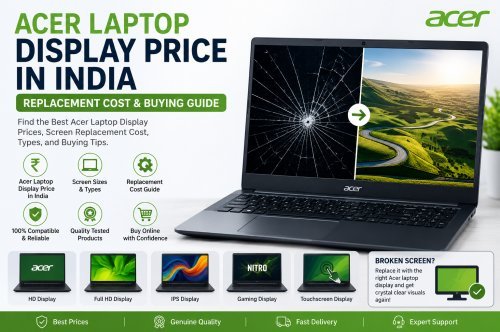
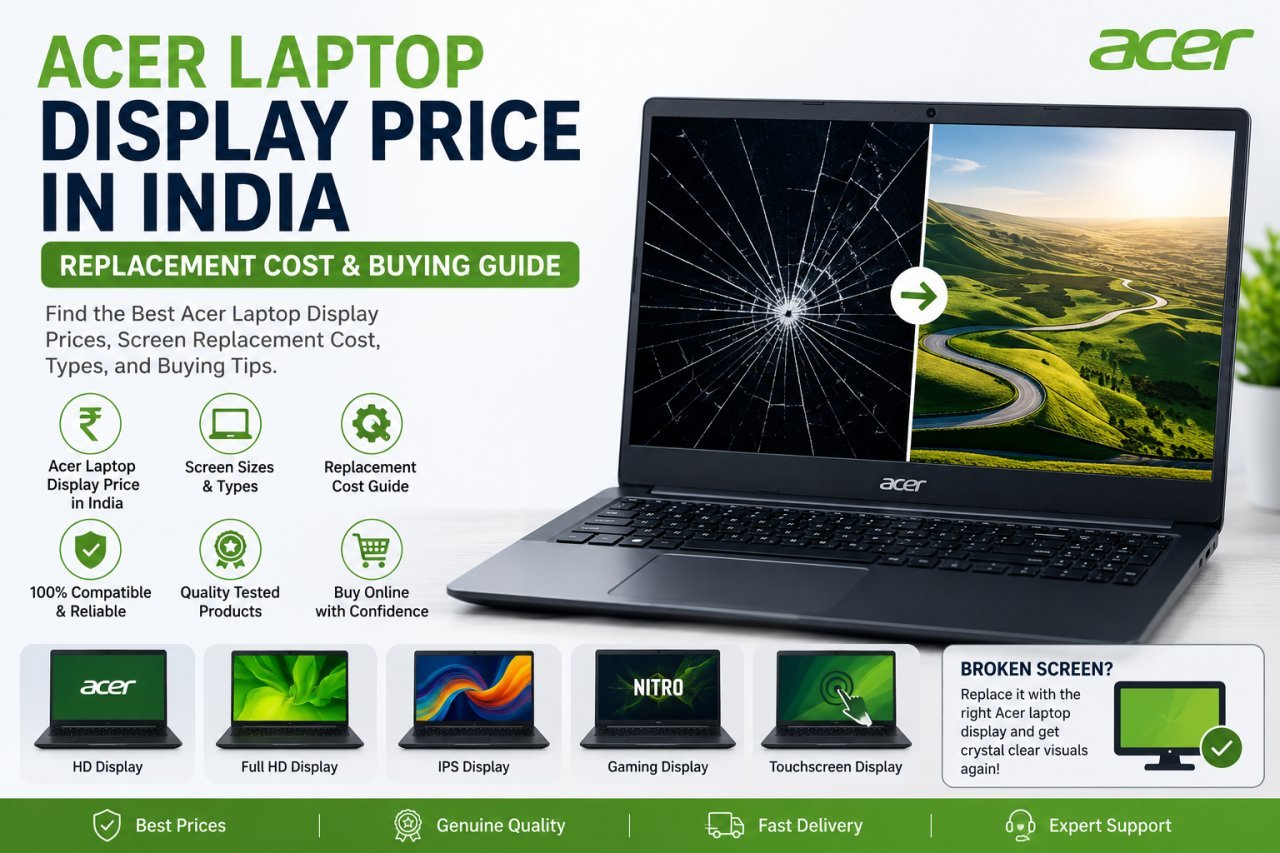
If your Acer laptop screen is cracked, flickering, showing lines, displaying black spots, or not turning on properly, you may need a replacement display. One of the first questions most users ask is: What is the Acer laptop display price in India?
The price of an Acer laptop display can vary depending on several factors, including the laptop model, screen size, resolution, panel type, touchscreen support, and display connector.
In this complete guide, we will explain Acer laptop display prices, replacement options, common screen problems, compatibility checks, and how to choose the right replacement screen.
Acer Laptop Display Price in India
The Acer laptop display price is not the same for every Acer laptop. A basic HD or Full HD laptop screen may cost differently from a touchscreen, IPS, gaming, or high-resolution display.
The final replacement cost can depend on:
- Exact Acer laptop model
- Screen size
- Display resolution
- HD, Full HD, or higher resolution
- LCD or LED panel type
- IPS or standard panel
- Touchscreen or non-touchscreen display
- Display connector type
- Availability of the compatible screen
- Replacement or installation charges
Because of these differences, it is always better to check your exact Acer laptop model number before purchasing a replacement display.
Common Acer Laptop Display Problems
Your laptop display may need inspection or replacement if you experience the following problems.
1. Cracked or Broken Laptop Screen
A physical impact or accidental fall can damage the laptop display.
Common signs include:
- Visible cracks
- Ink-like black spots
- Broken glass
- Distorted images
- Screen not displaying correctly
A physically damaged panel generally needs replacement.
2. Acer Laptop Screen Flickering
A flickering screen can be caused by several issues, including:
- Damaged display panel
- Loose display cable
- Graphics driver problems
- Refresh rate issues
- Internal hardware problems
Before replacing the screen, proper diagnosis is recommended.
3. Lines on the Laptop Screen
Vertical or horizontal lines can appear due to:
- Physical screen damage
- A loose display cable
- Panel failure
- Graphics-related issues
If the lines remain visible after troubleshooting, the display may require replacement.
4. Black Screen or No Display
A black screen does not always mean the laptop display is damaged.
The issue could be related to:
- Display panel
- Display cable
- RAM
- Graphics hardware
- Motherboard
- Software
Testing the laptop with an external monitor can sometimes help identify whether the problem is related to the internal screen.
What Affects Acer Laptop Display Price?
Screen Size
Acer laptops are available in different screen sizes, such as:
- 11.6-inch
- 13.3-inch
- 14-inch
- 15.6-inch
- 16-inch
- 17.3-inch
The screen size and physical dimensions must match your laptop's original display.
Display Resolution
Different Acer laptop models can use different resolutions.
Common options include:
- HD
- HD+
- Full HD
- Higher-resolution displays
A replacement screen should match the resolution and specifications supported by your laptop.
Panel Type
The panel technology can also affect the Acer laptop display price.
Common panel types include:
- LCD
- LED
- IPS
- Touchscreen panels
An IPS or touchscreen display may have a different price compared with a standard non-touch display.
Touchscreen Support
If your Acer laptop originally has a touchscreen, replacing it with a standard display may not provide the same functionality.
Always check whether your original laptop uses:
- Touchscreen
- Non-touchscreen
- Display-only panel
- Display and digitizer assembly
How to Find the Correct Acer Laptop Display
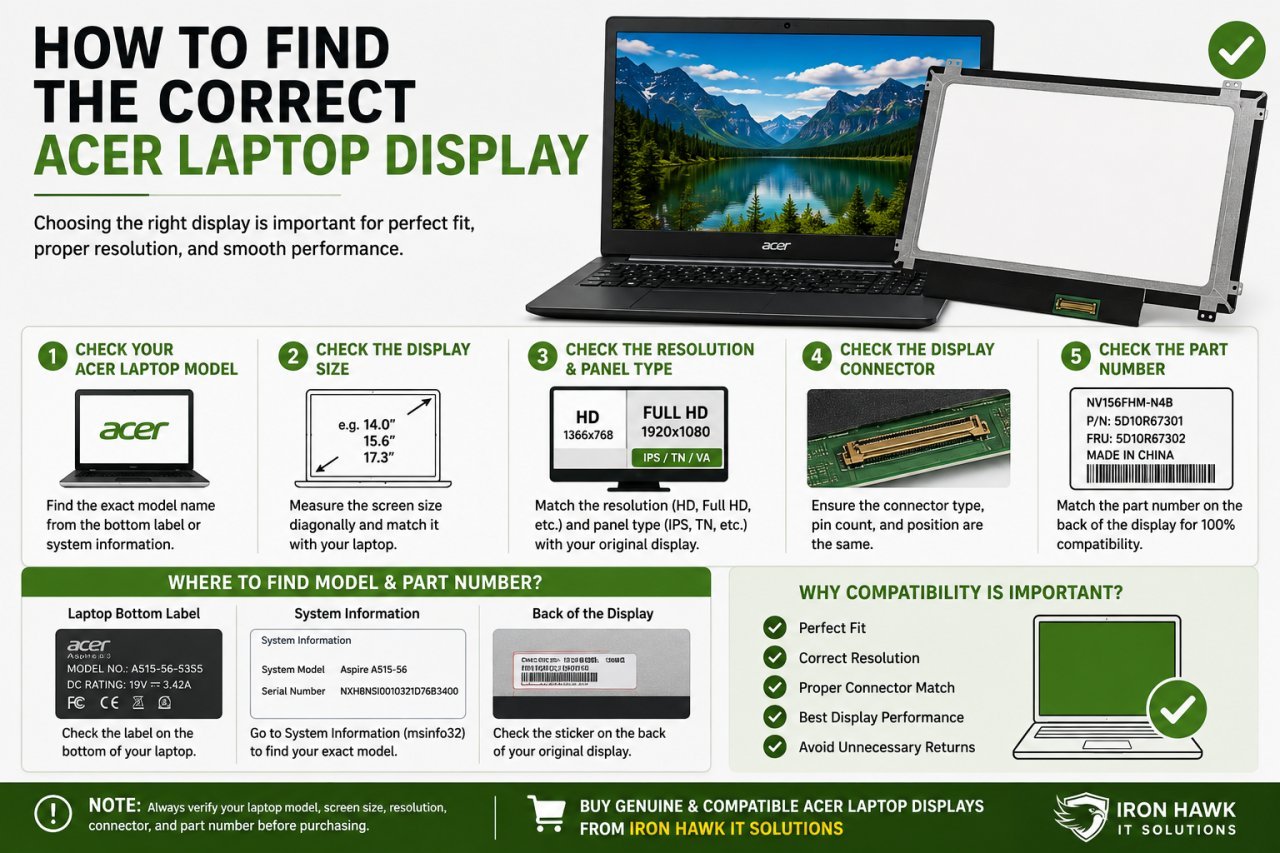
Before ordering an Acer laptop screen replacement, check the following details.
Check Your Exact Acer Laptop Model
Do not order a display based only on the brand name.
For example, different Acer Aspire, Swift, Nitro, Predator, and TravelMate models may use different display panels.
Check the model information from:
- The bottom label of the laptop
- System information
- BIOS information
- Original display part number
Check the Display Part Number
The part number printed on the back of the original display is one of the most useful details when searching for a compatible replacement.
A display part number can help confirm:
- Screen size
- Resolution
- Connector type
- Panel compatibility
Check the Display Connector
Laptop screens can have different connectors and pin configurations.
Before buying, check:
- Connector location
- Number of pins
- Connector type
- Screen cable compatibility
A screen with the same size may still be incompatible if the connector is different.
Acer Laptop Display Replacement: Can You Replace It Yourself?
Some Acer laptop displays can be replaced by removing the display bezel and disconnecting the old panel.
However, modern laptops may have:
- Thin bezels
- Adhesive-mounted screens
- Fragile display cables
- Touchscreen assemblies
- Integrated display components
If you are not experienced with laptop repairs, professional installation is recommended.
Improper installation can damage:
- The replacement display
- Display cable
- Laptop bezel
- Webcam connections
- Other internal components
Acer Laptop Display Replacement vs Laptop Repair
Replacing the display may be the correct solution when the panel itself is physically damaged or defective.
However, not every display issue requires a new screen.
For example:
Display Replacement May Be Needed When:
- The screen is cracked
- There are black spots caused by panel damage
- The display is physically broken
- The screen has permanent visible damage
- The panel has failed
Further Diagnosis May Be Needed When:
- The screen is completely black
- The display flickers occasionally
- The laptop works with an external monitor
- The issue started after a software update
- There are intermittent display problems
Proper diagnosis can help avoid replacing parts unnecessarily.
Acer Laptop Display Price: Why Compatibility Matters
Buying the cheapest display without checking compatibility can create additional problems.
An incompatible laptop screen may result in:
- No display output
- Incorrect resolution
- Connector mismatch
- Poor physical fit
- Touchscreen not working
- Refresh rate limitations
For the best results, confirm the exact model number and original display specifications before purchasing.
How to Increase the Life of Your Acer Laptop Display
You can help protect your laptop screen by following these tips:
- Close the laptop gently
- Avoid placing objects on the keyboard before closing the lid
- Carry the laptop in a protective bag
- Keep liquids away from the laptop
- Avoid applying excessive pressure to the display
- Clean the screen using suitable materials
- Do not forcefully twist or bend the laptop lid
Taking proper care can help reduce the risk of accidental screen damage.
Buy Acer Laptop Display from Iron Hawk IT Solutions
Finding the correct Acer laptop display replacement can be challenging because different laptop models use different screen sizes, resolutions, connectors, and panel types.
Before purchasing, provide the following information:
- Exact Acer laptop model number
- Product or serial information, if required for identification
- Screen size
- Original display part number, if available
- Whether the screen is touchscreen or non-touchscreen
- A clear image of the damaged screen or original display label, if possible
This information can help identify a compatible replacement display.
Looking for an Acer Laptop Display?
If you are searching for the Acer laptop display price in India or need a compatible screen replacement, buy from Iron Hawk IT Solutions.
Share your exact Acer laptop model and display details to check compatibility before purchasing. Choosing the correct screen is important for proper fit, display quality, and reliable performance.
Contact Iron Hawk IT Solutions today to enquire about a compatible Acer laptop display and get the right replacement solution for your laptop.
Frequently Asked Questions About Acer Laptop Display Price
1. What is the Acer laptop display price in India?
The Acer laptop display price in India depends on the exact laptop model, screen size, resolution, panel type, touchscreen functionality, and compatibility. It is best to check the exact model number before purchasing.
2. How do I find the correct Acer laptop display?
Check your laptop's exact model number and, if possible, the part number printed on the back of the original display. These details can help identify a compatible replacement screen.
3. Can I replace my Acer laptop screen myself?
Some laptop screens can be replaced at home, but certain models require careful disassembly. If you are not experienced with laptop repairs, professional installation is recommended.
4. Why is my Acer laptop screen flickering?
Screen flickering can be caused by a damaged display panel, loose display cable, graphics driver issues, or other hardware problems. Proper diagnosis is recommended before replacing the screen.
5. Can I use any 15.6-inch display in my Acer laptop?
No. The screen size alone does not guarantee compatibility. You should also check the resolution, connector type, connector position, mounting design, and original display specifications.
6. Does a cracked Acer laptop screen need replacement?
In most cases, a physically cracked or damaged display panel needs replacement. However, the exact repair required can depend on whether only the panel or additional display components are damaged.
7. What information should I provide before buying an Acer laptop display?
Provide your exact Acer laptop model number, original display part number if available, screen size, and whether the laptop uses a touchscreen.
8. Where can I buy an Acer laptop display?
You can enquire with Iron Hawk IT Solutions for a compatible Acer laptop display. Share your exact Acer laptop model and display details to confirm compatibility before purchasing.