Custom PC Build India
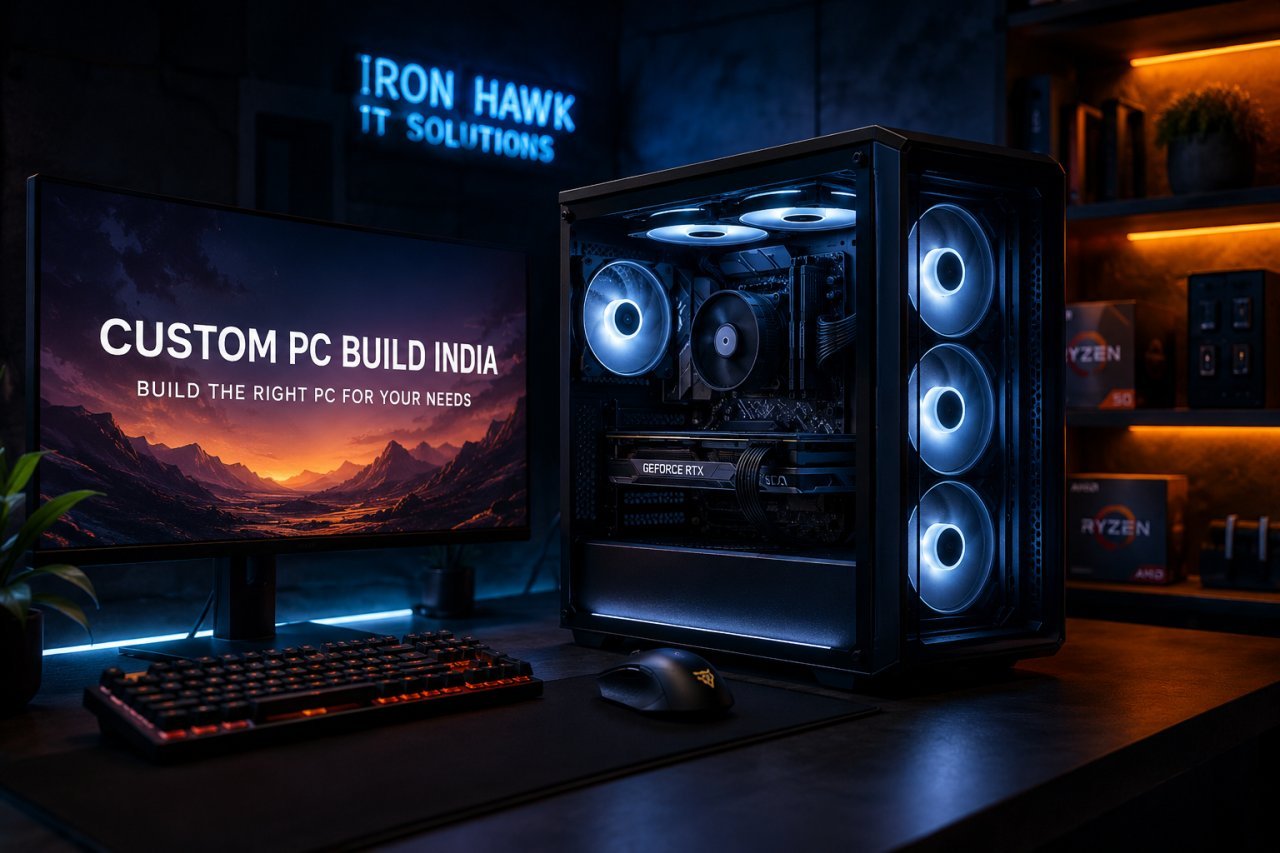
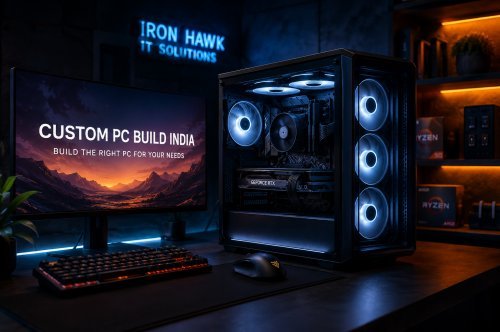
Custom PC Build India: Build the Right PC for Your Performance Needs
Choosing a new computer is a major investment. Whether you are a gamer, content creator, programmer, business owner or professional, the right PC configuration can make a significant difference to your everyday performance.
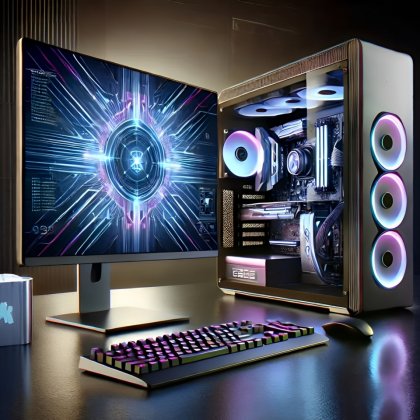
Instead of purchasing a fixed computer configuration, a custom PC build in India allows you to choose the processor, graphics card, RAM, storage, motherboard, power supply and cooling according to your specific requirements.
But building a PC is not simply about selecting the most expensive components.
A good PC build is about balance, compatibility, performance and value.
At IronHawk IT Solutions, we help customers explore computer hardware and desktop solutions based on different performance requirements and budgets. Our website includes dedicated categories for desktops, gaming PCs, graphics cards, motherboards, RAM, SSDs and other computer components.
If you are searching for a custom PC build India, this guide will help you understand what to look for before making your decision.
What Is a Custom PC Build?
A custom PC is a computer assembled using individually selected components rather than purchasing a completely fixed configuration.
A typical custom PC may include:
- CPU / Processor
- Motherboard
- Graphics Card
- RAM
- NVMe SSD
- Additional storage
- Power Supply Unit
- PC Cabinet
- CPU Cooler
- Case Fans
- Wi-Fi and Bluetooth connectivity
The advantage is flexibility.
You can create a PC specifically for gaming, office work, programming, video editing, graphic design, content creation or professional applications.
For example, a gaming PC may require a powerful graphics card, while a business desktop may benefit more from a reliable processor, sufficient RAM and fast SSD storage.
This is why there is no single configuration that can be called the "best PC" for everyone.
Why Choose a Custom PC Build in India?
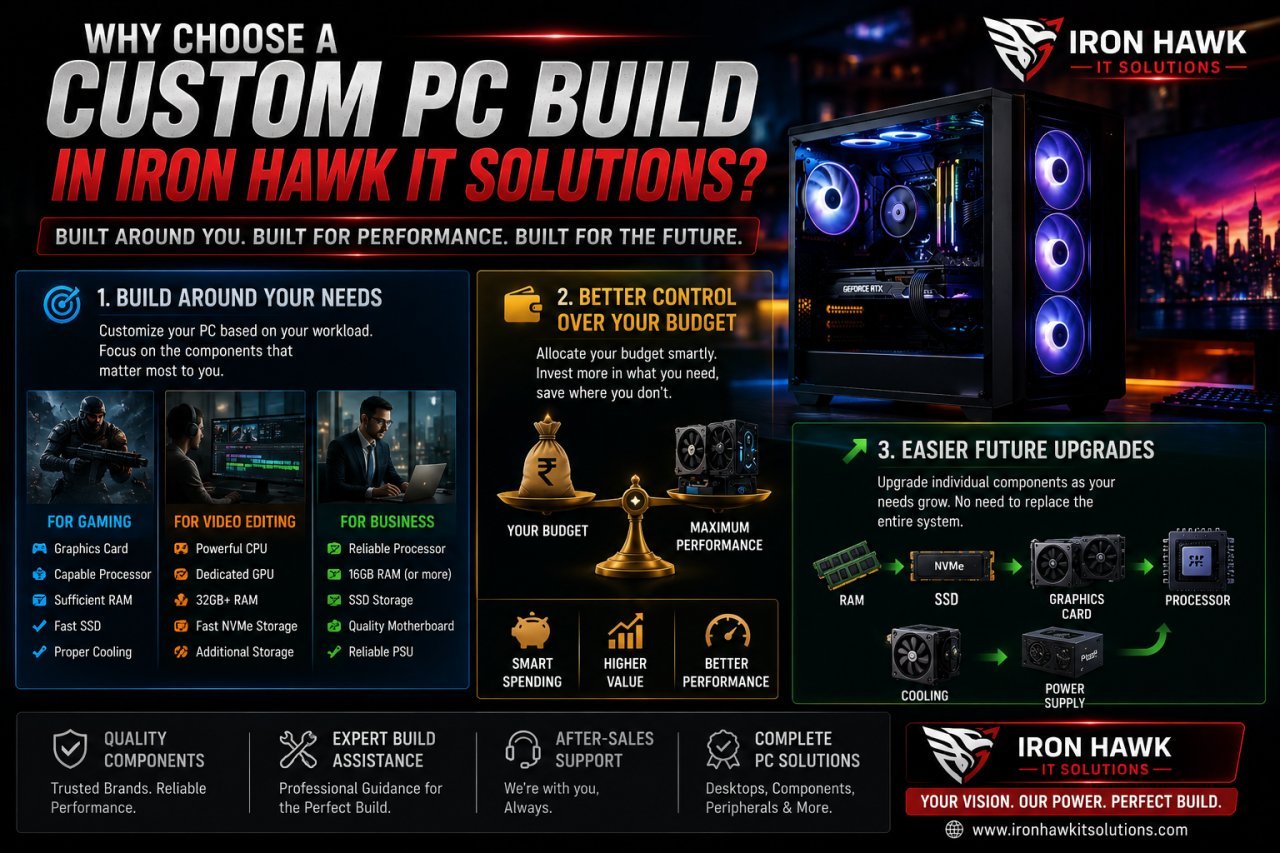
1. Build Around Your Actual Requirements
One of the biggest advantages of a custom PC is that you can build around your workload.
Instead of purchasing specifications you may never use, you can concentrate your budget on the components that have the greatest impact on your work.
For gaming
Prioritise:
- Graphics card
- Capable processor
- Sufficient RAM
- Fast SSD
- Proper cooling
For video editing
Consider:
- Powerful CPU
- Dedicated GPU
- 32GB or more RAM depending on workload
- Fast NVMe storage
- Additional storage for media files
For business
A balanced configuration with:
- Reliable processor
- 16GB RAM where appropriate
- SSD storage
- Quality motherboard
- Reliable PSU
may be more practical than spending heavily on gaming hardware.
2. Better Control Over Your Budget
A custom PC build in India gives you more control over how your budget is distributed.
For example, if gaming performance is your priority, you can allocate more of the budget to the GPU.
If you are building a workstation for editing or development, you may choose to invest more in CPU performance, RAM and storage.
This makes custom PC building particularly useful for buyers who want to get the most relevant performance from their budget.
3. Easier Future Upgrades
A well-planned desktop can also be easier to upgrade.
Depending on your selected platform, you may later upgrade:
- RAM
- SSD
- Graphics card
- Processor
- Cooling
- Power supply
This means you don't necessarily need to replace the entire computer when your requirements increase.
When planning your custom PC build India, it is worth thinking about not only what you need today, but also what you may need two or three years from now.
Choosing the Right Components for Your Custom PC
CPU: The Foundation of Your PC
The processor handles the instructions and calculations required by your applications.
When selecting a CPU, consider:
- Number of cores
- Number of threads
- Performance
- Supported motherboard platform
- Power requirements
- Integrated graphics
- Future upgrade possibilities
For basic office work, you may not need an expensive high-end processor.
For gaming, development, rendering and content creation, a more capable processor may be appropriate.
The key is to select a CPU that matches your workload.
GPU: The Heart of a Gaming PC
If your primary goal is gaming, the graphics card is one of the most important components in your build.
A dedicated GPU can also be valuable for:
- Video editing
- 3D rendering
- Animation
- CAD
- Graphic design
- GPU-accelerated applications
- Certain AI workloads
The right GPU depends on your target resolution and performance expectations.
A PC designed for 1080p gaming does not necessarily need the same GPU as a system designed for high-refresh-rate 1440p or 4K gaming.
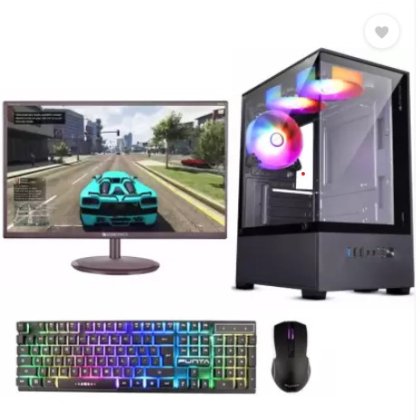
Iron Hawk IT Solutions currently has a dedicated Gaming PCs category with configurations ranging from entry-level systems to higher-performance gaming builds.
RAM: How Much Memory Does Your PC Need?
RAM affects how effectively your computer can handle multiple applications and active workloads.
As a general guideline:
8GB – Basic computing
16GB – General productivity and many gaming workloads
32GB – Advanced gaming, programming, editing and multitasking
64GB+ – Heavy professional workloads and specialised applications
However, RAM capacity is not the only factor.
You should also consider:
- DDR generation
- RAM speed
- Motherboard compatibility
- Number of memory slots
- Future upgrade requirements
Iron Hawk IT Solutions has a dedicated RAM section featuring desktop memory from brands and configurations including G.Skill, Corsair, ADATA, Kingston and others.
SSD: Faster Storage for a More Responsive PC
Storage is another important part of a modern PC.
An NVMe SSD can improve:
- Windows boot times
- Application loading
- Game loading
- File transfers
- Project access
- Overall system responsiveness
For a new custom PC build in India, an NVMe SSD is often a strong choice for primary storage.
Iron Hawk IT Solutions offers SSD options including NVMe and SATA models from brands such as Samsung, EVM, Kingston, WD and others.
Motherboard: The Connection Between Your Components
The motherboard connects your processor, RAM, storage, graphics card and other components.
Before purchasing one, check:
- CPU socket compatibility
- RAM compatibility
- M.2 slots
- PCIe slots
- USB ports
- Networking
- Wi-Fi/Bluetooth
- Expansion capabilities
- Future upgrade options
A premium motherboard isn't automatically the right motherboard.
Choose one that provides the features your configuration actually needs.
Power Supply: Don't Compromise on Reliability
The Power Supply Unit, or PSU, provides power to your entire system.
When selecting one, consider:
- Total wattage
- Efficiency
- Build quality
- Protection features
- GPU power requirements
- Required connectors
- Future upgrades
A high-end graphics card paired with an inadequate or poor-quality PSU is not a sensible configuration.
For a professional custom PC build, the PSU should be treated as a critical component rather than an area where you simply choose the cheapest option.
PC Cabinet and Cooling
Performance isn't only about CPU and GPU specifications.
Cooling also matters.
A good cabinet should provide sufficient airflow and enough physical space for your components.
Before purchasing a cabinet, check:
- GPU clearance
- CPU cooler clearance
- Motherboard size
- Fan support
- Radiator support
- Front airflow
- Dust filters
- Cable-management space
A properly ventilated system can help maintain consistent performance during demanding workloads.
Custom Gaming PC Build India: What Should You Prioritise?
If you're specifically searching for a custom gaming PC India, start with your target gaming experience.
Ask yourself:
What resolution do I want?
1080p, 1440p or 4K?
What games do I play?
Competitive games and visually demanding AAA titles can have very different hardware requirements.
What frame rate do I want?
60Hz, 144Hz, 165Hz or higher?
Do I also edit videos or stream?
If yes, your CPU, GPU and RAM requirements may change.
This is why choosing components based solely on someone else's PC configuration isn't always the best approach.
Your PC should be designed around your games, your monitor, your workload and your budget.
How Much Does a Custom PC Build Cost in India?
The cost of a custom PC depends on the hardware selected.
There is no single price that applies to every user.
As a general planning guide:
| Budget | Suitable For |
|---|---|
| ₹30,000–₹40,000 | Basic computing and office use |
| ₹40,000–₹60,000 | Entry-level gaming and productivity |
| ₹60,000–₹1,00,000 | Strong gaming and general professional use |
| ₹1,00,000–₹1,50,000 | High-performance gaming and content creation |
| ₹1,50,000+ | Enthusiast gaming and professional workloads |
These are approximate planning ranges. Actual pricing changes depending on component availability, specifications, brands and current market conditions.
For example, Iron Hawk IT Solutions currently lists gaming configurations including Ryzen/RTX systems and higher-end configurations with Core i7, RTX graphics, DDR5 memory and NVMe storage.
Why Choose Iron Hawk IT Solutions?
Finding the right components is only part of purchasing a PC.
You also want a seller where you can explore different hardware categories and configurations according to your requirements.
Iron Hawk IT Solutions offers computer products across categories including:
- Desktop PCs
- Gaming PCs
- Graphics Cards
- Motherboards
- RAM
- SSDs
- Laptops
- Refurbished Laptops
- Peripherals
This makes it easier to explore different hardware options from one platform.
If you are looking for a custom PC build in India, visit the official website and explore the available desktop and component options.
Start Your PC Search
Shop Desktop PCs at Iron Hawk IT Solutions
Custom PC Build vs Prebuilt PC
| Custom PC | Prebuilt PC |
|---|---|
| Select individual components | Fixed configuration |
| More control over budget | Easier to purchase |
| Designed around your workload | Ready-made specifications |
| Greater component flexibility | Less customisation |
| Easier to plan future upgrades | Upgrade options may vary |
If you understand your requirements and want greater control, a custom build can be an excellent option.
If you prefer convenience, you can also choose a professionally configured desktop.
What to Check Before Buying a Custom PC in India
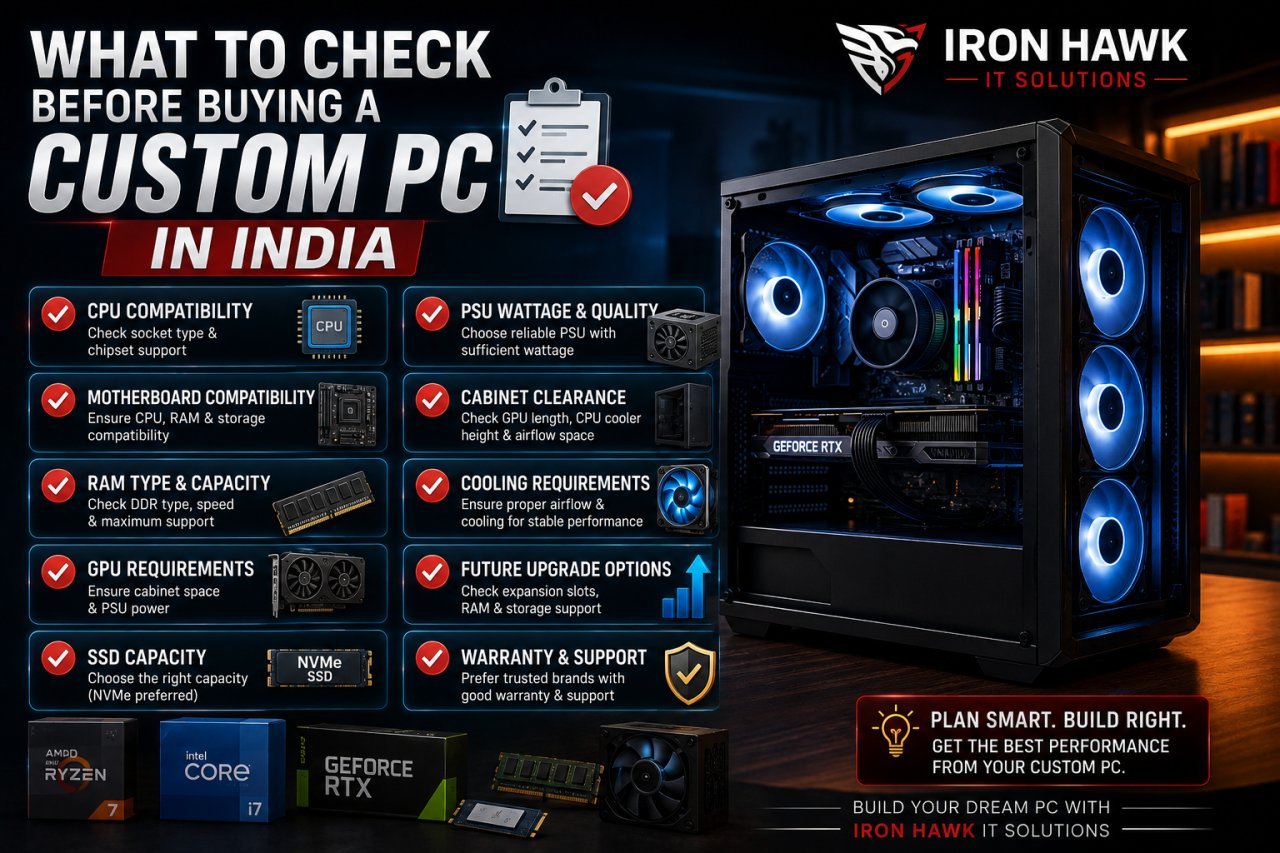
Before placing your order, check:
✓ CPU compatibility
✓ Motherboard compatibility
✓ RAM type and capacity
✓ GPU requirements
✓ SSD capacity
✓ PSU wattage and quality
✓ Cabinet clearance
✓ Cooling requirements
✓ Future upgrade options
✓ Warranty and support
Most importantly, don't judge a PC only by one specification.
A computer with a powerful CPU isn't necessarily better if the rest of the configuration is poorly balanced.